


STARSEED: Asnia Trigger
Play on PC with BlueStacks – the Android Gaming Platform, trusted by 500M+ gamers.

Page Modified on: Feb 27, 2026
Main STARSEED: Asnia Trigger on PC
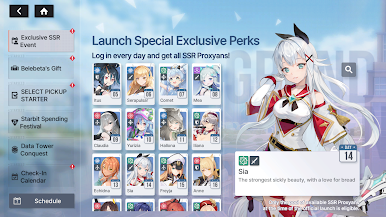
Log in and receive one of 37 Proxyans guaranteed!
Sign in daily and claim your SSR Proxyans!
■ A Journey to Save the World in the Regenerated World
You awaken one day to a world where humanity has fallen.
In this Regenerated World, your journey begins to save it from the hostile force known as the Redshifts.
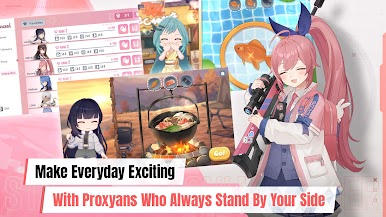
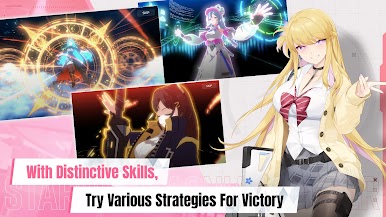
Together with the girls called Proxyans who follow you, challenge the mystery behind humanity’s extinction.
■ Girls from Seven Factions — Cherish the Time You Share
Meet the unique AI girls of the Seven Themes!
Experience fateful encounters and build meaningful connections with them.
■ Lively Voices Brought to Life by Renowned Voice Actors
Deepen your bond through the captivating performances of famous voice actors, each bringing their own charm to the girls.
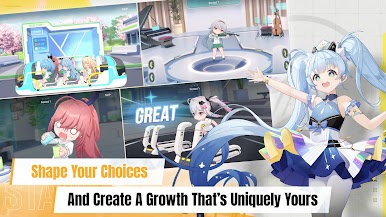
■ Personalized Growth Shaped by Your Choices
Enjoy custom growth alongside adorable SD versions of the girls!
Choose your classmates and design your own class schedule. Based on your lesson results, earn unique growth buffs tailored to your journey.
■ Deepen Your Bonds Through Meaningful Interactions
Share daily moments from your Proxyans through Instarseed, and connect in real time via AI chat in Proxima Talk.
***
This game is free to play, but you can choose to pay real money for extra items.
• Supported Languages
English, 한국어, 中文简体, 中文繁體, Deutsch, Français, Tiếng Việt, ไทย
• Smartphone App Permissions
▶ Access Permissions
Requesting permissions to provide the following services:
[Required Permissions]
None.
[Optional Permissions]
- Notifications: Permission to send you advertising and/or informative notifications in the game.
* Users are not required to allow Optional Permissions. However, this will restrict access to related features.
* Individually setting Optional Permissions is not available for versions prior to Android 6.0. Upgrading to version 6.0 or later is recommended.
▶ Revoking App Permissions
Users can reset or revoke permissions after granting access.
[OS 6.0 or Later]
Settings > Manage Applications > Select App > Permissions > Grant/Revoke Permission
[Versions Prior to OS 6.0]
Upgrade OS and revoke permissions, or delete the app.
***
• Items are available for purchase in this game. Some paid items may not be refundable depending on the type of item.
• Terms of Service: http://terms.withhive.com/terms/policy/view/M9/T1
• Privacy Policy: http://terms.withhive.com/terms/policy/view/M9/T3
• For questions or customer support, please contact our Customer Support by visiting http://customer-m.withhive.com/ask



Play STARSEED: Asnia Trigger on PC. It’s easy to get started.
-
Download and install BlueStacks on your PC
-
Complete Google sign-in to access the Play Store, or do it later
-
Look for STARSEED: Asnia Trigger in the search bar at the top right corner
-
Click to install STARSEED: Asnia Trigger from the search results
-
Complete Google sign-in (if you skipped step 2) to install STARSEED: Asnia Trigger
-
Click the STARSEED: Asnia Trigger icon on the home screen to start playing

