


Mahjong Crush
Play on PC with BlueStacks – the Android Gaming Platform, trusted by 500M+ gamers.

Page Modified on: Jan 7, 2026
Main Mahjong Crush on PC
🎴 Core Gameplay Features:
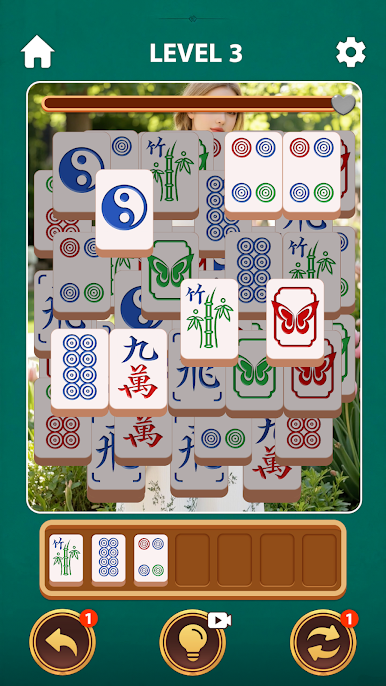
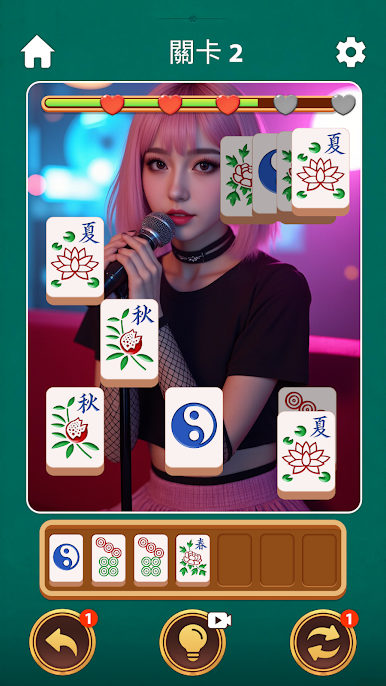
Innovative Mahjong Matching: Take on a "multi-layer matching" challenge, pair identical mahjong tiles, strategically plan each move, clear all obstacles, and enjoy the brain-teasing yet satisfying fun of solving puzzles.
Numerous Creative Levels: A vast number of carefully designed levels with progressive difficulty, from easy starts to extreme challenges, ensuring long-lasting playability.
🎬 Dynamic Theme Collection System:
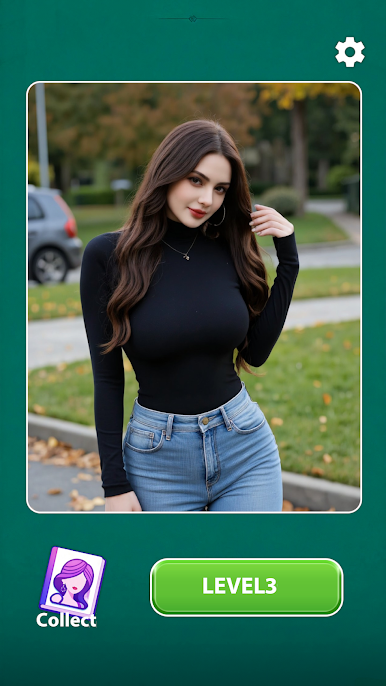
Freely Choose Your Theme: Before each round, select from a variety of uniquely styled characters. She will become your dynamic background companion throughout your matching journey.
Visual Progress Rewards: Reach specific matching milestones to trigger elegant theme animation clips as immediate, positive feedback for your clever moves.
Unlock Complete Content: Successfully clear a level to unlock the full dynamic theme video of the current character. You can revisit these beautifully crafted dynamic contents anytime in the "Theme Album" to complete your collection.
🖼️ Elegant Audio-Visual Experience:
All characters and visual content are presented in an elegant, artistic style, designed to provide a pleasing and relaxing experience.
Accompanied by soothing or upbeat background music and sound effects, creating a fully immersive game atmosphere.
📱 Perfect for All Players:
Whether you're a mahjong enthusiast, a match-3 puzzle fan, or simply someone who enjoys collecting beautiful themes and relaxing during spare moments, Mahjong Crushis your ideal choice.
The game is completely free to download. It contains optional ads and in-app purchases to support our continuous development of more exciting content.


Play Mahjong Crush on PC. It’s easy to get started.
-
Download and install BlueStacks on your PC
-
Complete Google sign-in to access the Play Store, or do it later
-
Look for Mahjong Crush in the search bar at the top right corner
-
Click to install Mahjong Crush from the search results
-
Complete Google sign-in (if you skipped step 2) to install Mahjong Crush
-
Click the Mahjong Crush icon on the home screen to start playing

