


Piano Tap Luis Fonsi Despacito
Play on PC with BlueStacks – the Android Gaming Platform, trusted by 500M+ gamers.

Page Modified on: Aug 18, 2023
Play Piano Tap Luis Fonsi Despacito on PC or Mac
Play Piano Tap Luis Fonsi Despacito by TheFunAppSg on PC or Mac with BlueStacks. Use a bigger screen, mouse and keyboard controls, and smoother performance while you play.
About the Game
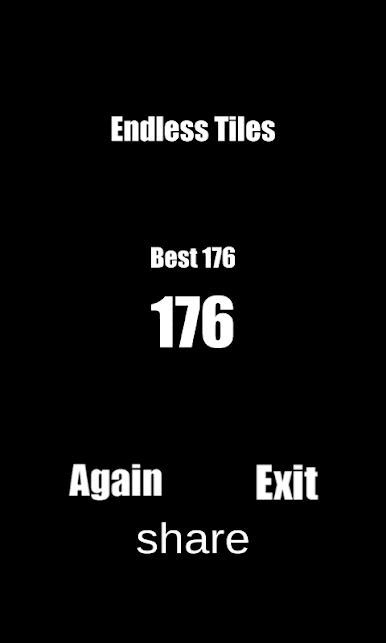
Piano Tap Luis Fonsi Despacito turns a global earworm into a fast, finger-tapping challenge. It’s a quick, satisfying Arcade rhythm game where you keep the melody alive by hitting only the right notes at the right time. Miss a tile and the song cuts out—land a streak and you’ll feel the flow kick in. Prefer a bigger screen? It plays nicely on BlueStacks too.
Game Features
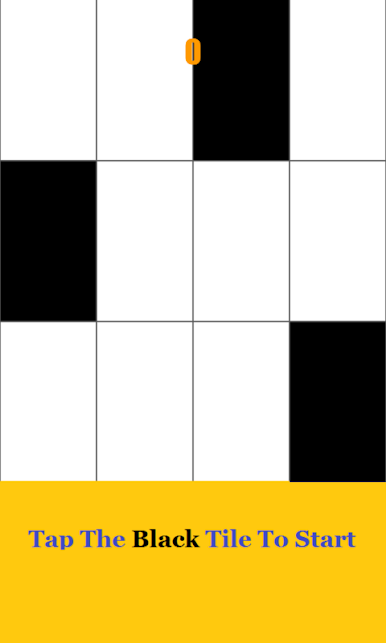
- Tap-to-the-beat controls: Hit the black tiles in time with the music and dodge the white ones to keep the piano line going.
- Tempo that keeps rising: The pace subtly ramps up as you play, nudging your reflexes and timing to stay sharp.
- Clean piano arrangement: Hear a crisp, note-by-note piano take on the hit—simple, clear, and perfect for practicing rhythm.
- Quick back-in-the-groove: Slip up? No worries. Jump right back and chase a better run without a fuss.
- Satisfying flow state: String together accurate taps to keep the momentum and enjoy that oddly addictive “one more try” loop.
- Minimalist look, max focus: A straightforward layout keeps distractions out of the way so you can lock in on the beat.
- Fan-made tribute: An unofficial homage to the song, built for fun and entertainment without original recordings or endorsements.
- Flexible ways to play: Great on your device when you’ve got a minute, and extra precise when you fire it up with BlueStacks.
Ready to top the leaderboard? We bet you do. Let precise controls and sharp visuals optimized on BlueStacks lead you to victory.

Play Piano Tap Luis Fonsi Despacito on PC. It’s easy to get started.
-
Download and install BlueStacks on your PC
-
Complete Google sign-in to access the Play Store, or do it later
-
Look for Piano Tap Luis Fonsi Despacito in the search bar at the top right corner
-
Click to install Piano Tap Luis Fonsi Despacito from the search results
-
Complete Google sign-in (if you skipped step 2) to install Piano Tap Luis Fonsi Despacito
-
Click the Piano Tap Luis Fonsi Despacito icon on the home screen to start playing

