

Royal Arrow: Merge & Match
Play on PC with BlueStacks – the Android Gaming Platform, trusted by 500M+ gamers.

Page Modified on: Sep 1, 2026
Play Royal Arrow: Merge & Match on PC or Mac
Royal Arrow: Merge & Match brings the Casual genre to life, and throws up exciting challenges for gamers. Developed by Харитония Илиева, this Android game is best experienced on BlueStacks, the World’s #1 app player for PC and Mac users.
About the Game
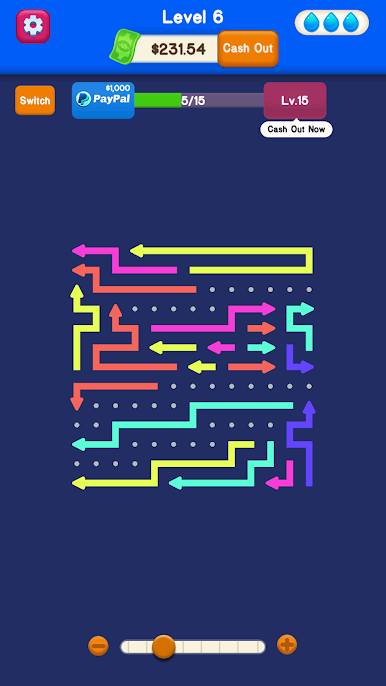
Royal Arrow: Merge & Match is a laid-back Casual puzzler where arrows do the talking. You’ll slide, tap, and nudge directional arrows around a board to line them up, merge matches, and clear the grid. It’s simple to pick up, but the moment you start planning routes and spotting clever combos, the whole thing gets satisfyingly strategic.
Game Features
- Intuitive Arrow Play: Tap and swipe to steer arrows where they need to go. Guide their paths, connect matching directions, and watch them merge into clean clears.
- Merge-and-Match Combos: Set up satisfying chains by aligning multiple arrows in sequence. One smart move can trigger a board-sweeping reaction.
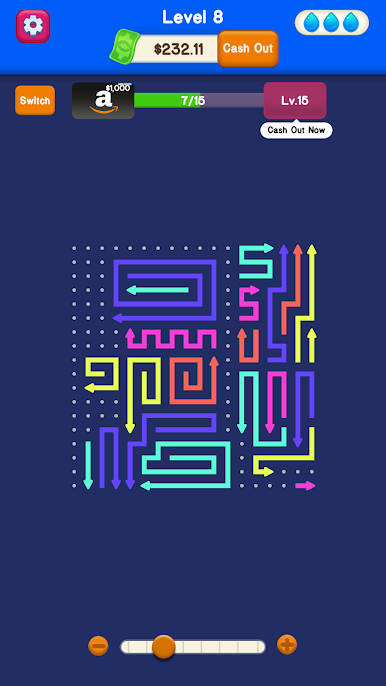
- Growing Challenge: Early stages ease you in; later puzzles ask for sharper spatial thinking. New layouts and arrow patterns keep your brain engaged without feeling punishing.
- Obstacles That Matter: Walls, blockers, and tricky angles force you to plan ahead. Thread routes carefully to open the board and keep your momentum.
- Play Anywhere, Offline: No connection needed. Perfect for a quick session on the go or a longer sit-down when you’ve got time to unwind.
- Clean, Relaxing Look: Crisp visuals and a mellow pace let the puzzle do the heavy lifting. It’s approachable for all ages and skill levels.
- Smooth on BlueStacks: Prefer a bigger screen and precise controls? Royal Arrow: Merge & Match runs comfortably on BlueStacks for a desktop-style experience.
Get ready for a buttery smooth, high-performance gaming action only on BlueStacks.


Play Royal Arrow: Merge & Match on PC. It’s easy to get started.
-
Download and install BlueStacks on your PC
-
Complete Google sign-in to access the Play Store, or do it later
-
Look for Royal Arrow: Merge & Match in the search bar at the top right corner
-
Click to install Royal Arrow: Merge & Match from the search results
-
Complete Google sign-in (if you skipped step 2) to install Royal Arrow: Merge & Match
-
Click the Royal Arrow: Merge & Match icon on the home screen to start playing

