

Crafting and Building
Play on PC with BlueStacks – the Android Gaming Platform, trusted by 500M+ gamers.

Page Modified on: Oct 2, 2026
Play Crafting and Building on PC or Mac
Crafting and Building brings the Adventure genre to life, and throws up exciting challenges for gamers. Developed by CraftNova Games, this Android game is best experienced on BlueStacks, the World’s #1 app player for PC and Mac users.
About the Game
Crafting and Building is a creativity-first Adventure where your imagination sets the pace. Shape cozy homes, underground bases, or towering fortresses, then wander around to see what friends are making too. Want a bigger canvas? It also plays nicely on PC with BlueStacks.
Game Features
- Build Your Way: Place blocks, carve out caves, or stack sky-high towers—go for a tiny cabin, a secret mine hideout, or a sprawling castle.
- Peaceful Sandbox: No monsters crashing your plans; relax, experiment, and take your time bringing big ideas to life.
- Furniture and Details: Fill rooms with furniture and little touches so each space feels practical, stylish, and totally yours.
- Pets and Companions: Befriend friendly animals—dogs, horses, and other cute critters—to keep you company while you explore and build.
- Explore With Friends: Jump into multiplayer, tour each other’s worlds, compare designs, and team up on ambitious community builds.
- Tons of Block Types: Work with a wide range of materials, from simple dirt and wood to shiny gems and ornate stone for detailed projects.
- Grow Your Skills: Start small, learn new tricks, and scale up to castles, temples, and even full cities as your confidence builds.
- PC Play with BlueStacks: Prefer a bigger view and precise controls? Fire it up on PC with BlueStacks for comfy, long building sessions.
Start your journey now. Download the game on BlueStacks, invite your friends, and march on a new adventure.
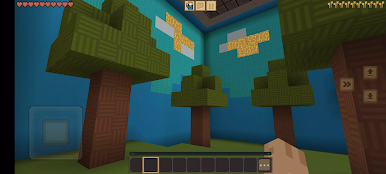
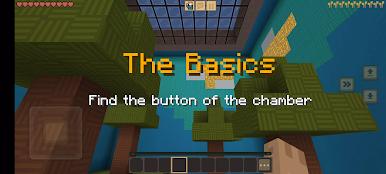
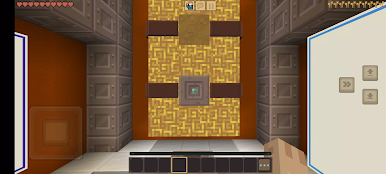
Play Crafting and Building on PC. It’s easy to get started.
-
Download and install BlueStacks on your PC
-
Complete Google sign-in to access the Play Store, or do it later
-
Look for Crafting and Building in the search bar at the top right corner
-
Click to install Crafting and Building from the search results
-
Complete Google sign-in (if you skipped step 2) to install Crafting and Building
-
Click the Crafting and Building icon on the home screen to start playing

