


Crazy Zoo Sounds
Play on PC with BlueStacks – the Android Gaming Platform, trusted by 500M+ gamers.

Page Modified on: May 26, 2026
Play Crazy Zoo Sounds on PC or Mac
Crazy Zoo Sounds by HLD team has plenty to keep you busy. BlueStacks lets you play it on PC or Mac with more screen space, better control, and fewer mobile limits.
About the Game
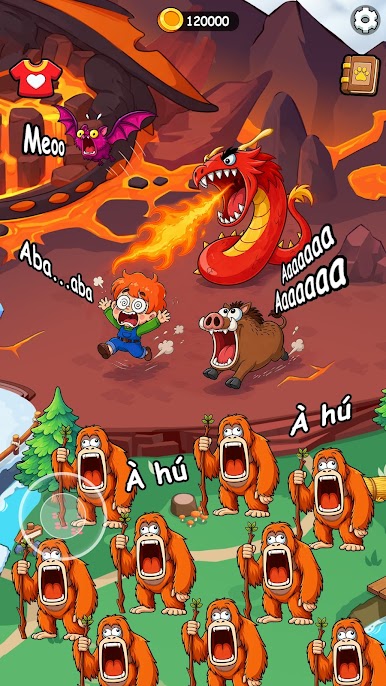
Crazy Zoo Sounds is a lighthearted Casual playground where every tap sparks a ridiculous roar, chirp, squeak, or snort. It’s part soundboard, part animated toy box: pick an animal, watch it react, and hear an over-the-top version of its call. Great for quick laughs, curious kids, or anyone who likes their zoo a little unhinged—and if you prefer a bigger screen, it runs smoothly on BlueStacks too.
Game Features
- Big, goofy sound set: A lively mix of animals with comically exaggerated voices—from proud lions to cheeky monkeys and plenty in between.
- Colorful reactions: Each creature pops with bright, cartoon visuals and playful animations that match its mood.
- One-tap fun: Tap, hear, smile. No tutorials or reading walls of text—just instant, silly feedback.
- For all ages: Designed with families in mind, it’s friendly, light, and easy to enjoy whether you’re five or fifty.
- Quick-hit entertainment: Perfect for short breaks or keeping little hands busy without piling on complexity.
- Unexpected moments: Some taps lead to funny surprises, so the same animal doesn’t always behave the same way.
- Clean, simple layout: Big buttons, clear icons, and a clutter-free screen make it stress-free to explore.
Ready to top the leaderboard? We bet you do. Let precise controls and sharp visuals optimized on BlueStacks lead you to victory.





Play Crazy Zoo Sounds on PC. It’s easy to get started.
-
Download and install BlueStacks on your PC
-
Complete Google sign-in to access the Play Store, or do it later
-
Look for Crazy Zoo Sounds in the search bar at the top right corner
-
Click to install Crazy Zoo Sounds from the search results
-
Complete Google sign-in (if you skipped step 2) to install Crazy Zoo Sounds
-
Click the Crazy Zoo Sounds icon on the home screen to start playing

