


Unicorn Weather
Play on PC with BlueStacks – the Android Gaming Platform, trusted by 500M+ gamers.

Page Modified on: Aug 14, 2024
Play Unicorn Weather on PC
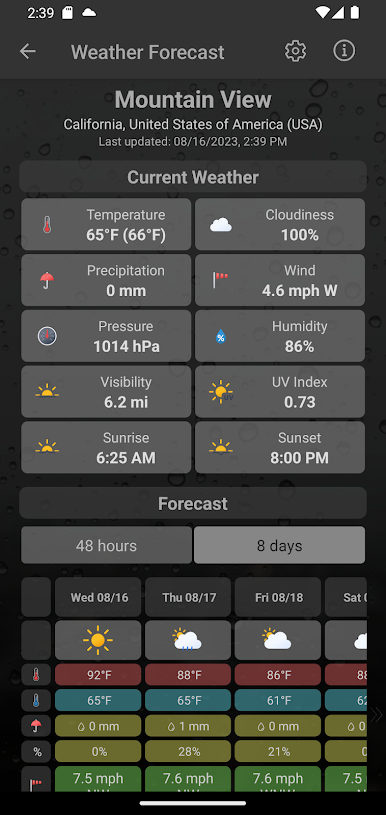
Unicorn Weather's forecast provides an overview of all essential weather data on a single page. This includes:
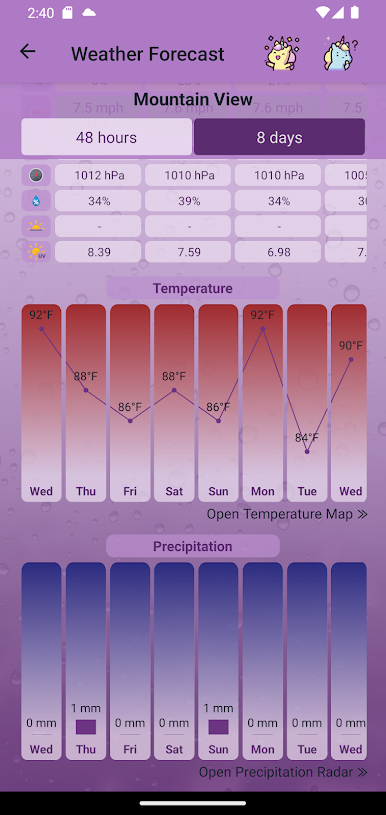
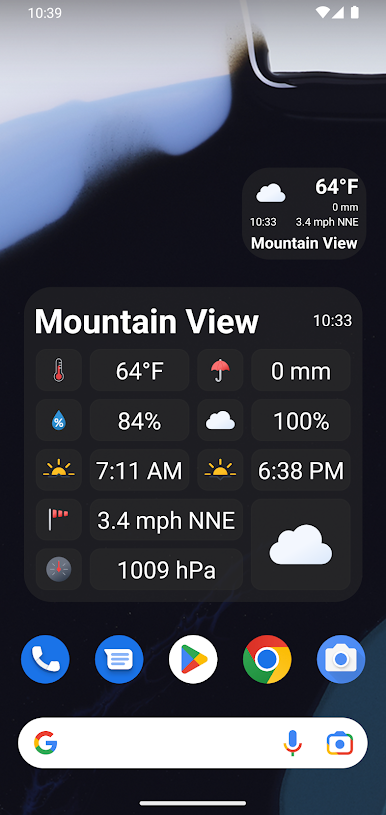
🌡️ Temperature and feels-like temperature, as well as the highest and lowest temperatures of a period.
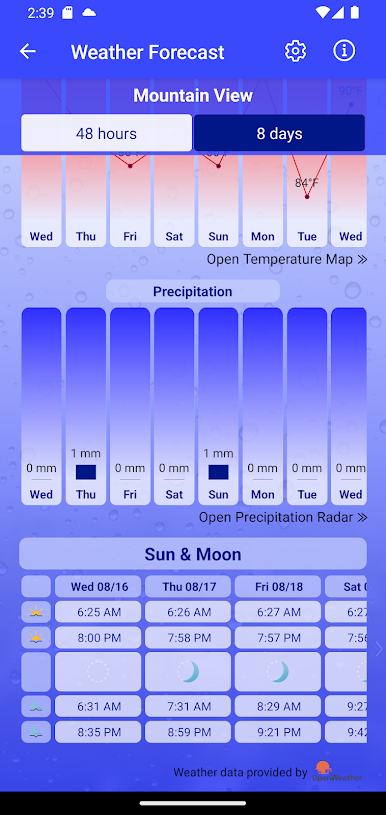
🌧️ Amount and probability of precipitation.
🌬️ Wind speed and direction.
☁️ Cloudiness.
💧 Humidity.
🌀 Air pressure.
☀️ Visibility.
Also available in subscription:
🥵 UV Index.
⚠️ Weather alerts.
☀️ Sunrise and sunset.
🌙 Moonrise and moonset.
🌓 Moon phases.
The progression of precipitation and temperatures is also graphically presented to offer an even better overview.
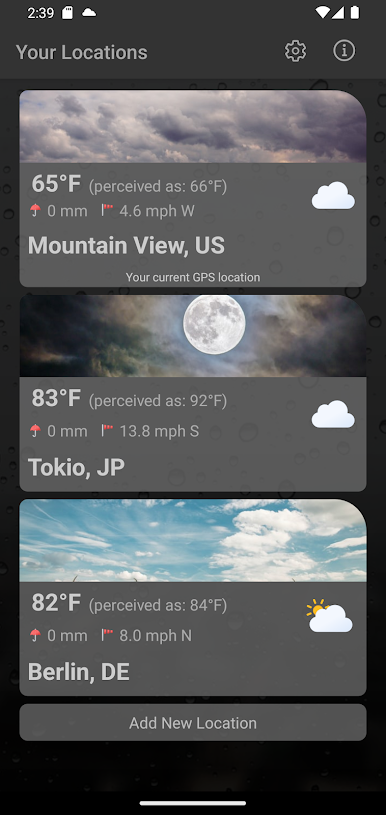
LOCATIONS
If you allow GPS, the weather will be displayed for your current location at all times. Additionally, you can manually add any other locations.
Your list of locations provides an overview of the weather situation at any time.
RESIZABLE WEATHER WIDGETS
With the handy widgets, you can always see the most recent weather data for your location - even when the app is closed. You can choose between a very basic widget and a more detailed one. Both widgets are resizable. By tapping the widget, you immediately enter the detailed view.
DESIGN
There are three very distinct designs available, depending on your taste. You can choose between a light design, a dark design, and the unique unicorn design.
LANGUAGES
The app offers a wide variety of different languages, which are regularly updated. Currently supported: English, German, Italian, French, Spanish, Russian, Turkish, Japanese, Hindi, Portuguese.
Play Unicorn Weather on PC. It’s easy to get started.
-
Download and install BlueStacks on your PC
-
Complete Google sign-in to access the Play Store, or do it later
-
Look for Unicorn Weather in the search bar at the top right corner
-
Click to install Unicorn Weather from the search results
-
Complete Google sign-in (if you skipped step 2) to install Unicorn Weather
-
Click the Unicorn Weather icon on the home screen to start playing

