


NoteCam Lite - GPS memo camera
Play on PC with BlueStacks – the Android Gaming Platform, trusted by 500M+ gamers.

Page Modified on: Feb 13, 2026
Play NoteCam Lite - GPS memo camera on PC
NoteCam is a camera App combined with GPS information (including latitude, longitude, altitude and accuracy), time, and comments. It can leave a message, and put all information together into a photograph. When you browse the photos, you can quickly know their location and their further information.
■ The difference between "NoteCam Lite" and "NoteCam Pro."
(1) NoteCam Lite is a free App. NoteCam Pro is a paid App.
(2) NoteCam Lite has a "Powered by NoteCam" text (watermark) in photographs' bottom right corner.
(3) NoteCam Lite cannot store original photos. (No text photos; 2x storage time)
(4) NoteCam Lite can use 3 columns of comments. NoteCam Pro can use 10 columns of comments.
(5) NoteCam Lite keeps the last 10 comments. NoteCam Pro version keeps the last 30 comments.
(6) NoteCam Pro can use the text watermark, the graphic watermark, and the graphic central point.
(7) NoteCam Pro is ad-free.
■ If you have a problem with the coordinates (GPS), please read https://notecam.derekr.com/gps/en.pdf for details.
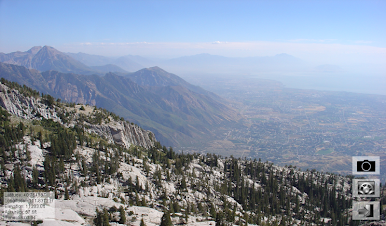
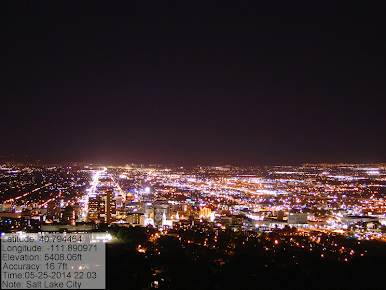
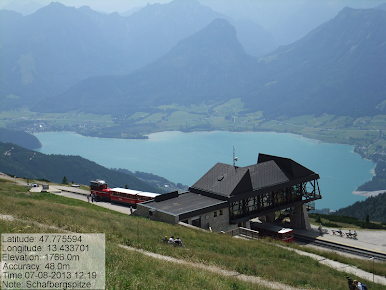
Play NoteCam Lite - GPS memo camera on PC. It’s easy to get started.
-
Download and install BlueStacks on your PC
-
Complete Google sign-in to access the Play Store, or do it later
-
Look for NoteCam Lite - GPS memo camera in the search bar at the top right corner
-
Click to install NoteCam Lite - GPS memo camera from the search results
-
Complete Google sign-in (if you skipped step 2) to install NoteCam Lite - GPS memo camera
-
Click the NoteCam Lite - GPS memo camera icon on the home screen to start playing

