


Block World - Craft City
Play on PC with BlueStacks – the Android Gaming Platform, trusted by 500M+ gamers.

Page Modified on: Jan 16, 2026
Main Block World - Craft City on PC
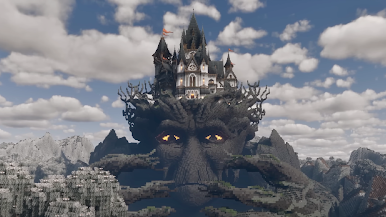
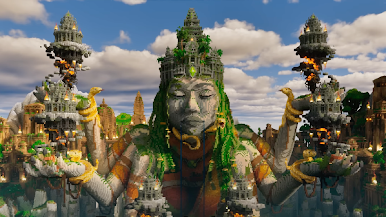
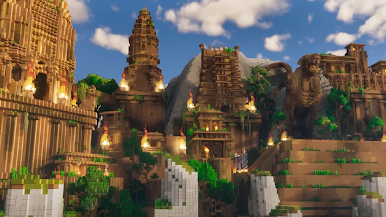
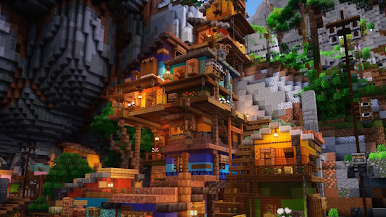
Enter an open-world sandbox where you can craft, build, and explore endless adventures. Design epic structures, create your dream city, and discover vast biomes in a fully customizable 3D environment.
Key Features:
🛠️ Build & Create Anything
Construct houses, castles, farms, skyscrapers, and entire cities with limitless blocks.
🌍 Massive Open World
Explore forests, mountains, rivers, and hidden areas while gathering resources.
🔨 Craft & Mine Resources
Collect wood, stone, ores, and more to craft tools, decorations, and building blocks.
🎮 Immersive Gameplay
Smooth controls and realistic building simulation for players of all ages.
🎨 Customize Your World
Shape terrains, add decorations, and design your city exactly how you want.
👾 Survival & Creative Modes
Play in Survival Mode to gather, mine, and fight—or switch to Creative Mode for unlimited building freedom.
🌟 Multiplayer Fun
Team up with friends, build together, and share your creations online.
Why Play Block World - Craft City?
🏡 Endless Creativity: Bring your ideas to life without limits.
🎮 Fun for Everyone: Easy to play, perfect for kids and adults alike.
🌍 Infinite Adventures: Explore, survive, and craft your dream city in one massive world.
👉 Download Block World - Craft City now and start building your perfect world today!
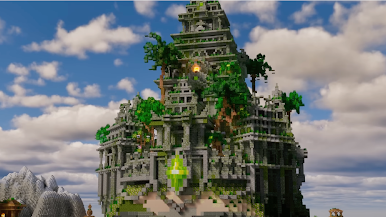
Play Block World - Craft City on PC. It’s easy to get started.
-
Download and install BlueStacks on your PC
-
Complete Google sign-in to access the Play Store, or do it later
-
Look for Block World - Craft City in the search bar at the top right corner
-
Click to install Block World - Craft City from the search results
-
Complete Google sign-in (if you skipped step 2) to install Block World - Craft City
-
Click the Block World - Craft City icon on the home screen to start playing

