


Dig and Steal Memerot
Play on PC with BlueStacks – the Android Gaming Platform, trusted by 500M+ gamers.

Page Modified on: Mar 17, 2026
Play Dig and Steal Memerot on PC
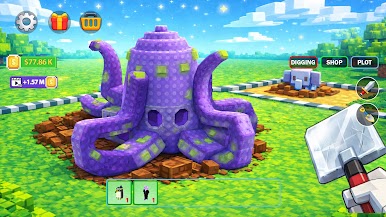
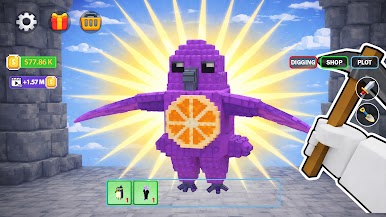
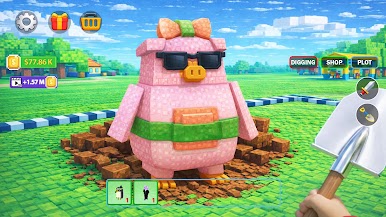
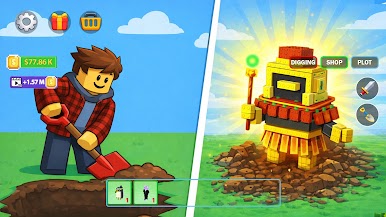
Welcome to Dig and Steal Memerot, the most addictive creature-collection adventure! Grab your shovel and prepare to explore mysterious lands. Your mission? Dig through deep terrains to uncover hidden eggs, hatch hilarious meme-inspired creatures, and build a legendary collection that belongs only to you.
⛏️ DIG FOR HIDDEN TREASURES
The earth is filled with mystery! Explore diverse environments and drill through the ground to find secret eggs. From common pets to mythical legends, you never know what kind of funny companion is waiting beneath the surface.
🥚 HATCH & EVOLVE
Once you’ve claimed your eggs, it’s time to bring them to life. Care for your Memerots by feeding and training them. Watch as they grow from tiny hatchlings into powerful creatures with unique abilities, mischievous personalities, and special powers.
🏰 BUILD YOUR MEME EMPIRE
Don’t just collect—create a home! Build and customize your land with fun decorations. Expand your territory to make room for more creatures and unlock exclusive hatching zones. The more you collect, the more famous your empire becomes!
🌟 HIGHLIGHT FEATURES:
Explore & Dig: Discover hidden eggs across multiple unique terrains.
Massive Collection: Hatch and raise hundreds of one-of-a-kind meme creatures.
Train to Win: Evolve your pets to unlock secret skills and funny animations.
Custom Empire: Decorate and expand your habitat to showcase your collection.
Daily Quests: Engage in new challenges every day for exclusive loot.
Stunning Visuals: Enjoy vibrant graphics and smooth, satisfying touch controls.
Play Anywhere: No internet? No problem! Enjoy the full experience offline.
Are you ready to dig deep and claim the rarest creatures in the land? Start your adventure in Dig and Steal Memerot today and become the ultimate master of the meme world!

Play Dig and Steal Memerot on PC. It’s easy to get started.
-
Download and install BlueStacks on your PC
-
Complete Google sign-in to access the Play Store, or do it later
-
Look for Dig and Steal Memerot in the search bar at the top right corner
-
Click to install Dig and Steal Memerot from the search results
-
Complete Google sign-in (if you skipped step 2) to install Dig and Steal Memerot
-
Click the Dig and Steal Memerot icon on the home screen to start playing

