


Volleyball Reaction Trainer
Play on PC with BlueStacks – the Android Gaming Platform, trusted by 500M+ gamers.

Page Modified on: Aug 11, 2026
Play Volleyball Reaction Trainer on PC
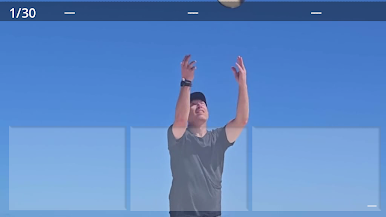
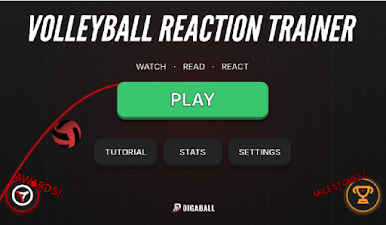
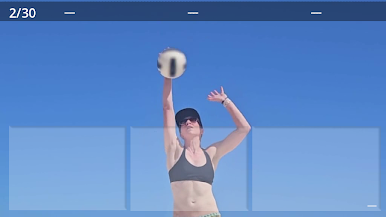
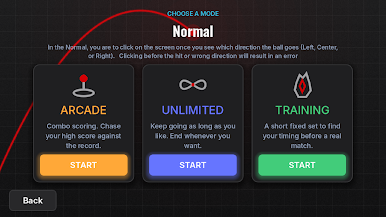
Watch a real hit clip, read where the ball is going the instant it comes off the hands, and tap the direction — Left, Center, or Right — as fast as you can. React before the hit or pick the wrong way and it counts against you, just like on the court.
MODES
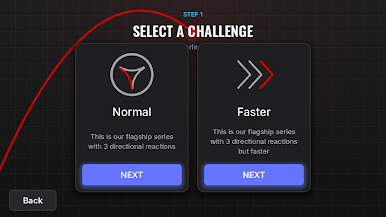
- Arcade: chase your high score with combo scoring and rising pressure.
- Training: a short, fixed set to dial in your timing before a match.
- Unlimited: keep the reps going as long as you want.
TRACK YOUR PROGRESS
Every run records your reaction times, your best splits by direction, and your accuracy. Watch your numbers climb session over session on the built-in stats graph.
BUILT FOR PLAYERS AND COACHES
Whether you're a setter reading a swing, a libero anticipating the dig, or a coach after a fast warm-up drill, DIGABALL sharpens the watch-read-react loop that wins rallies.
Real footage. Real reads. Real reactions. Grab your phone and start training.
No ads. No account required. Your stats stay on your device.
Play Volleyball Reaction Trainer on PC. It’s easy to get started.
-
Download and install BlueStacks on your PC
-
Complete Google sign-in to access the Play Store, or do it later
-
Look for Volleyball Reaction Trainer in the search bar at the top right corner
-
Click to install Volleyball Reaction Trainer from the search results
-
Complete Google sign-in (if you skipped step 2) to install Volleyball Reaction Trainer
-
Click the Volleyball Reaction Trainer icon on the home screen to start playing

