


Legions War: Art of Strategy
Play on PC with BlueStacks – the Android Gaming Platform, trusted by 500M+ gamers.

Page Modified on: Apr 8, 2026
Main Legions War: Art of Strategy on PC
Lead your army, master the battlefield, and become the ultimate commander!
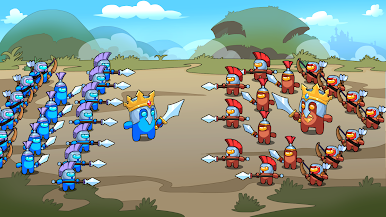
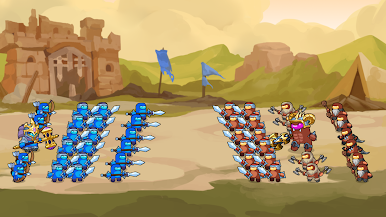
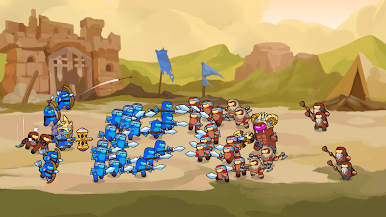
Legions War: Art of Strategy is a fast-paced arcade strategy game that combines tower defense, real-time strategy, and epic army battles into one exciting experience. Recruit powerful warriors, build unstoppable legions, and defeat your enemies through smart tactics and quick decisions.
Every battle is different. Choose the right units, strengthen your army, and adapt your strategy to overcome challenging enemies, giant bosses, and increasingly difficult battlefields. Victory belongs to the commander who can think fast and lead wisely.
Whether you enjoy strategy games, defense games, or large-scale war battles, Legions War offers simple controls with surprisingly deep tactical gameplay.
Game Features
⚔️ Command massive armies in real-time battles
🛡️ Experience the perfect mix of Tower Defense and RTS gameplay
🏹 Recruit and upgrade a variety of powerful soldiers
👑 Lead your King and protect your kingdom
💥 Fight against giant bosses and powerful enemy commanders
🧠 Use smart tactics to outplay stronger opponents
🎯 Easy to learn, challenging to master
🌍 Battle across beautiful fantasy battlefields
📈 Unlock stronger units and expand your legendary legion
🎮 Smooth gameplay with satisfying action and strategic depth
Every decision matters. Build the perfect army composition, position your troops wisely, and watch your strategy unfold in spectacular battlefield clashes.
Can your legion survive against overwhelming enemy forces? Can you defeat gigantic bosses and become the greatest commander in history?
Download Legions War: Art of Strategy now and lead your army to glorious victory!



Play Legions War: Art of Strategy on PC. It’s easy to get started.
-
Download and install BlueStacks on your PC
-
Complete Google sign-in to access the Play Store, or do it later
-
Look for Legions War: Art of Strategy in the search bar at the top right corner
-
Click to install Legions War: Art of Strategy from the search results
-
Complete Google sign-in (if you skipped step 2) to install Legions War: Art of Strategy
-
Click the Legions War: Art of Strategy icon on the home screen to start playing

