


Horizon Z: Survival
Play on PC with BlueStacks – the Android Gaming Platform, trusted by 500M+ gamers.

Page Modified on: Sep 22, 2026
Main Horizon Z: Survival on PC
⚔ Gather Survivors and Heroes
Recruit skilled heroes and gather other survivors to build a powerful team. Strengthen your ranks to rise above the zombie chaos and restore humanity.
🔫 Defend Against the Undead
The zombie horde is relentless! Take charge, hunt down the undead, and secure your territory. The survival of your people depends on your courage and leadership.
🌾 Scavenge and Survive
Explore the ruins for essential resources. Gather food, materials, and hidden treasures to sustain your people and fuel your growth.
🏗 Rebuild and Expand
Transform your refuge into a fortress. Construct defenses, upgrade your base, and reclaim the land to secure your dominance in a hostile world.
🤝 Forge Powerful Alliances
Unite with other survivors to form alliances. Combine forces to fend off rivals, share resources, and strengthen your hold against the zombie threat.
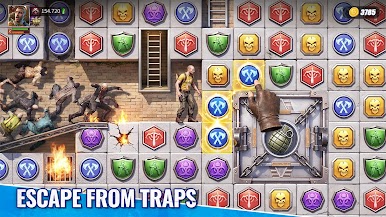
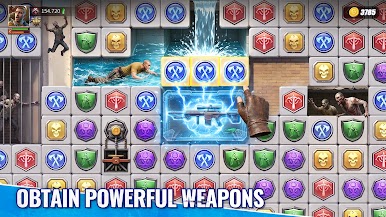
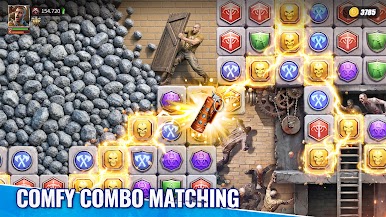
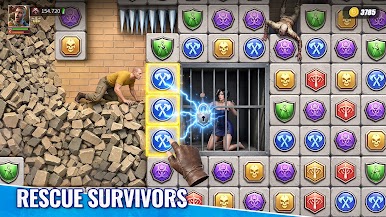
Play Horizon Z: Survival on PC. It’s easy to get started.
-
Download and install BlueStacks on your PC
-
Complete Google sign-in to access the Play Store, or do it later
-
Look for Horizon Z: Survival in the search bar at the top right corner
-
Click to install Horizon Z: Survival from the search results
-
Complete Google sign-in (if you skipped step 2) to install Horizon Z: Survival
-
Click the Horizon Z: Survival icon on the home screen to start playing

