


Dragon Craft: Hunter Legends
Play on PC with BlueStacks – the Android Gaming Platform, trusted by 500M+ gamers.

Page Modified on: Feb 26, 2026
Play Dragon Craft: Hunter Legends on PC
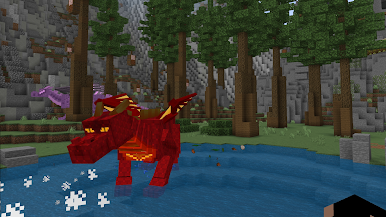
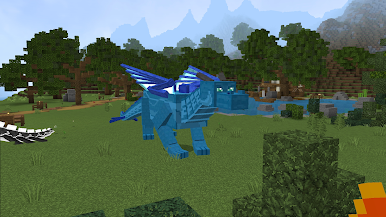
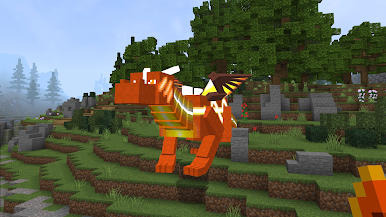
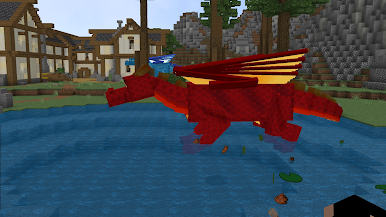
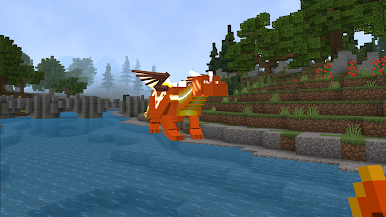
Enter a vast block world where dragons rule the skies and danger awaits in every land. Dragon Craft: Hunter Legends is a sandbox survival adventure where you explore, craft, build, and hunt mighty dragons to become a true legend.
⛏️ Gather resources, craft powerful weapons and armor, and build your own base to survive in a fantasy voxel world filled with mysteries, caves, and hidden treasures.
⚔️ Face fierce enemies, conquer dangerous biomes, and challenge epic dragon bosses. Each hunt brings new rewards, stronger gear, and greater power.
🔥 Features
🐉 Epic dragon hunting battles
🧱 Open-world sandbox exploration
⛏️ Mining, crafting, and building system
🏰 Build shelters, fortresses, or entire kingdoms
⚔️ Upgrade weapons, armor, and skills
🌋 Explore dungeons, caves, and lava lands
🌍 Multiple biomes to discover
🛡 Survival gameplay with action combat
🌟 Become the Ultimate Dragon Hunter
Travel across forests, mountains, deserts, and volcanic lands in search of legendary creatures. Prepare carefully — dragons are powerful, intelligent, and deadly.
Will you survive the hunt… or become prey?
Download Dragon Craft: Hunter Legends now and forge your legend in a world of blocks, fire, and dragons!
Play Dragon Craft: Hunter Legends on PC. It’s easy to get started.
-
Download and install BlueStacks on your PC
-
Complete Google sign-in to access the Play Store, or do it later
-
Look for Dragon Craft: Hunter Legends in the search bar at the top right corner
-
Click to install Dragon Craft: Hunter Legends from the search results
-
Complete Google sign-in (if you skipped step 2) to install Dragon Craft: Hunter Legends
-
Click the Dragon Craft: Hunter Legends icon on the home screen to start playing

