


Dynasty Heroes: Samkok Legend
Play on PC with BlueStacks – the Android Gaming Platform, trusted by 500M+ gamers.

Page Modified on: Jun 29, 2026
Main Dynasty Heroes: Samkok Legend on PC
Game Features
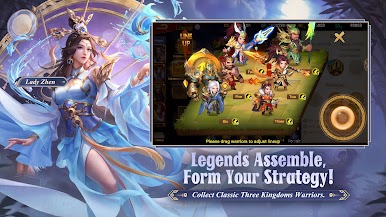
Classic Three Kingdoms Generals
Assemble your ultimate team from legendary heroes like Liu Bei, Guan Yu, Zhang Fei, Cao Cao, Sun Quan, and Zhao Yun.
Epic Combo Attacks
Unleash devastating combo attacks with iconic pairs like Lü Bu and Diao Chan, Sun Ce and Da Qiao, and more. Witness the stunning visual effects and feel the adrenaline rush.
Diverse Gameplay
Enjoy a variety of game modes, from Barbarians Invasions to unique adventures. Strategize your way to victory and build your ultimate team.
Guild Wars and Boss Battles
Join forces with allies, conquer powerful bosses, and dominate the battlefield in epic guild wars.
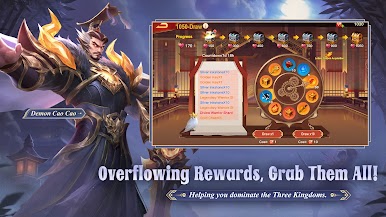
Generous Rewards: Enjoy daily login bonuses and endless rewards to help you conquer the Three Kingdoms.
Contact Us
Facebook:https://www.facebook.com/OfficialDynastyHeroes/



Play Dynasty Heroes: Samkok Legend on PC. It’s easy to get started.
-
Download and install BlueStacks on your PC
-
Complete Google sign-in to access the Play Store, or do it later
-
Look for Dynasty Heroes: Samkok Legend in the search bar at the top right corner
-
Click to install Dynasty Heroes: Samkok Legend from the search results
-
Complete Google sign-in (if you skipped step 2) to install Dynasty Heroes: Samkok Legend
-
Click the Dynasty Heroes: Samkok Legend icon on the home screen to start playing

