


Kid-E-Cats Hockey Elo
Play on PC with BlueStacks – the Android Gaming Platform, trusted by 500M+ gamers.

Page Modified on: Apr 1, 2026
Main Kid-E-Cats Hockey Elo on PC
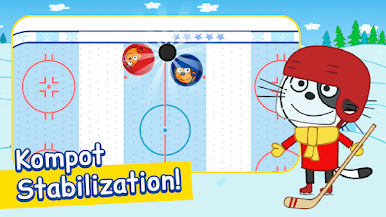
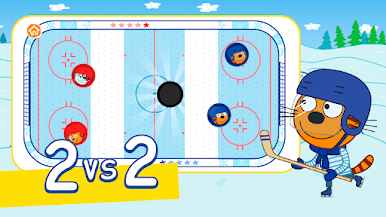
Build your team of three brave felines and face off against players from all over the world. Pass the puck, defend your goal, and score amazing shots. Every victory counts: thanks to our ELO ranking system, every match you win gets you closer to the champion's league.
Main Features:
Frantic 3v3 matches: Fast action, simple controls, and pure fun on the ice.
ELO ranking system: Show your skills. Win, level up, and become the best player in the world.
Join the trend: The game everyone is talking about, now in the palm of your hand.
Play anywhere: Intense and dynamic matches, perfect to play in your free time.
Put on your skates, grab your hockey stick, and lead your three cats to absolute victory!



Play Kid-E-Cats Hockey Elo on PC. It’s easy to get started.
-
Download and install BlueStacks on your PC
-
Complete Google sign-in to access the Play Store, or do it later
-
Look for Kid-E-Cats Hockey Elo in the search bar at the top right corner
-
Click to install Kid-E-Cats Hockey Elo from the search results
-
Complete Google sign-in (if you skipped step 2) to install Kid-E-Cats Hockey Elo
-
Click the Kid-E-Cats Hockey Elo icon on the home screen to start playing

