


Grand Fortune Club
Play on PC with BlueStacks – the Android Gaming Platform, trusted by 500M+ gamers.

Page Modified on: Jun 3, 2026
Play Grand Fortune Club on PC
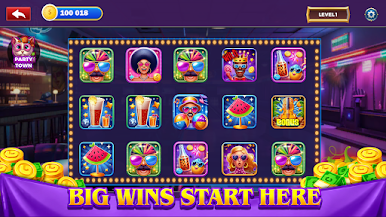
Welcome to Grand Fortune Club, the ultimate destination for casino-style fun and exciting slot machines. Explore a vibrant world filled with four unique video slots, rewarding progression, and engaging casino-style gameplay. Build and expand your own casino empire, generate income, unlock new attractions, and discover powerful slot experiences designed for free entertainment. Collect daily rewards, enjoy free spins, trigger wild symbols, and unlock exciting bonus rounds as you grow your fortune.
Experience smooth gameplay packed with exciting slot action. Simply tap and spin to enjoy a variety of classic slots and modern video slots, each featuring unique mechanics, rich themes, and exciting features. Complete weekly challenges, participate in limited-time events, and unlock stronger slot machines as your casino business continues to expand. Every spin brings new opportunities, surprises, and satisfying reward moments.
Step into a colorful casino-style world featuring bright visuals, stunning HD graphics, and an immersive experience designed for mobile players. Enjoy a smooth entertainment experience on a secure platform built for fun and accessibility. From dazzling slot animations to casino-building progression, Grand Fortune Club combines casino management with rewarding slot gameplay in one exciting package.
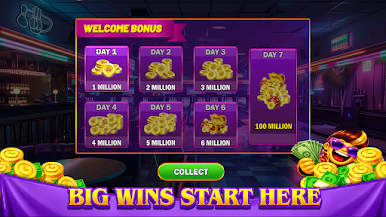
🎁 Collect daily login bonuses, earn valuable rewards, enjoy special redemption features, and unlock additional free spins through progression. Grand Fortune Club is provided for entertainment use only. No Purchase Necessary. This game does not offer real money, real cash prizes, or financial rewards. There is no real-money gambling involved. The game is intended for adults 18 years of age or older and is available only where permitted by law. All rewards and virtual items have no real-world monetary value.



Play Grand Fortune Club on PC. It’s easy to get started.
-
Download and install BlueStacks on your PC
-
Complete Google sign-in to access the Play Store, or do it later
-
Look for Grand Fortune Club in the search bar at the top right corner
-
Click to install Grand Fortune Club from the search results
-
Complete Google sign-in (if you skipped step 2) to install Grand Fortune Club
-
Click the Grand Fortune Club icon on the home screen to start playing

