

Hanping Chinese Popup OCR
Play on PC with BlueStacks – the Android Gaming Platform, trusted by 500M+ gamers.

Page Modified on: Feb 26, 2026
Run Hanping Chinese Popup: Screen OCR on PC or Mac
Why limit yourself to your small screen on the phone? Run Hanping Chinese Popup: Screen OCR, an app by Hanping, best experienced on your PC or Mac with BlueStacks, the world’s #1 Android emulator.
About the App
Ever find yourself stuck on a Chinese phrase while browsing social media, reading articles, or even just chatting with friends? Hanping Chinese Popup: Screen OCR is designed for moments just like these. This unique Education app from Hanping lets you look up Chinese words instantly, no matter what app or screen you’re in—without interrupting your flow. With a simple floating tool and accurate OCR, you can get word meanings, pronunciations, and more right on top of whatever you’re doing.
App Features
-
Quick Popup Lookup
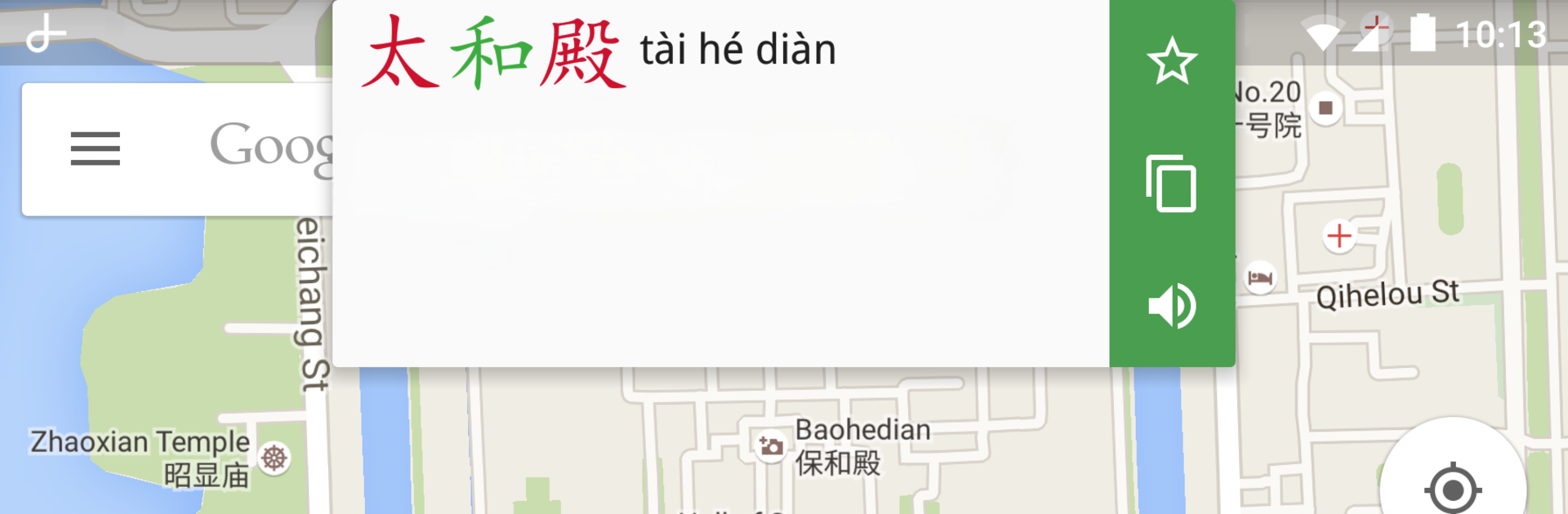
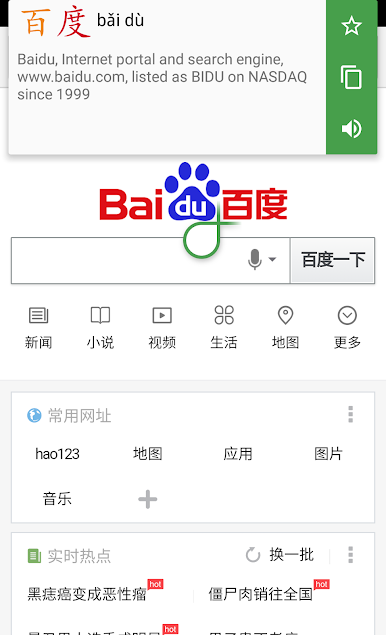
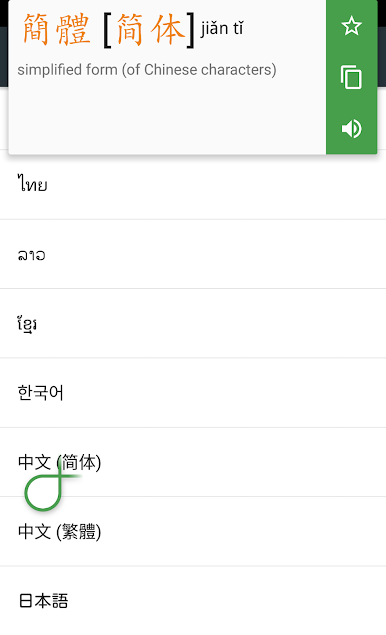
Tap a floating handle on your screen, slide it next to the Chinese word you’re curious about, and boom—dictionary details pop up right where you need them. No switching back and forth between apps. -
Works Anywhere
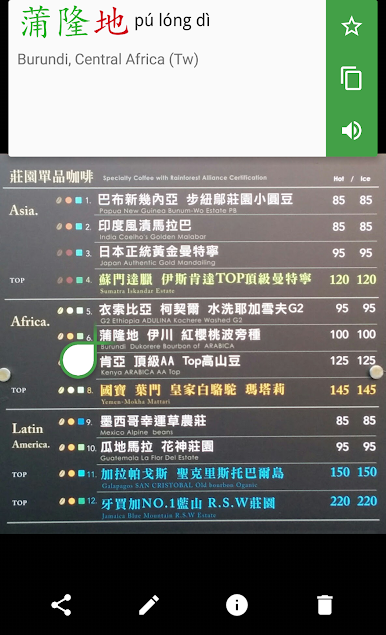
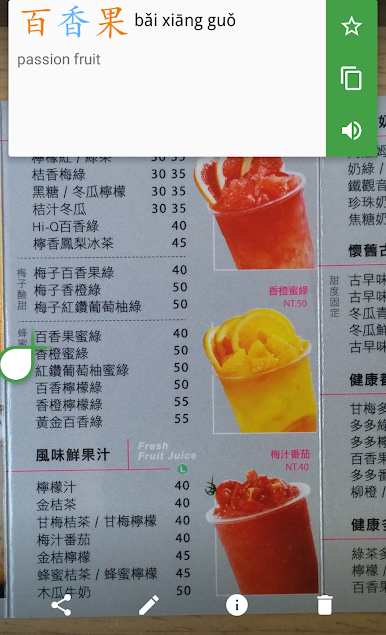
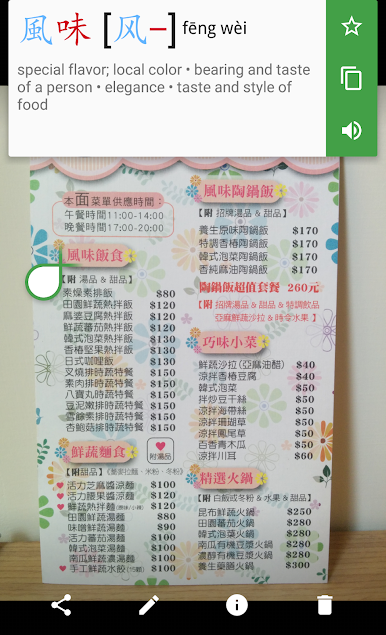
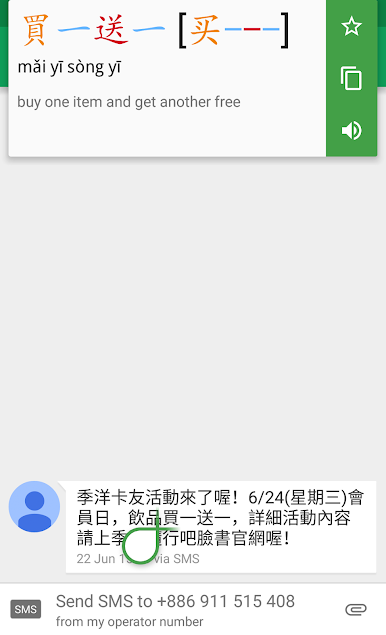
Jump between messaging apps, web browsers, photos with text, or Chinese-only apps—the lookup works almost anywhere you can see Chinese characters, whether they’re typed or in images. -
Accurate OCR Technology
Hanping Chinese Popup: Screen OCR uses modern Optical Character Recognition that captures even tricky characters with impressive accuracy. Recognizes thousands of Simplified and Traditional characters with 99% accuracy in most cases. -
Audio Pronunciation
Curious about how that word actually sounds? Listen to native pronunciation straight from the popup—great for language learners or travelers. -
Clipboard & Starred List
Copy any word or phrase to your clipboard for later, or save favorites in your own starred list to track what you’re learning. -
Integration with Hanping Dictionaries
Tap from a popup definition to jump straight into other Hanping dictionary apps if you want even more detail, whether you’re learning Mandarin or Cantonese. -
Discrete Notifications
Don’t want the floating tool all the time? Hide it with a tap. The app tucks away neatly and respects your status bar, keeping things uncluttered. -
Easy access on PC with BlueStacks
If you use BlueStacks, you can even take advantage of Hanping Chinese Popup: Screen OCR from your desktop, bringing the same handy features to a bigger screen. -
Keyboard & Button Support
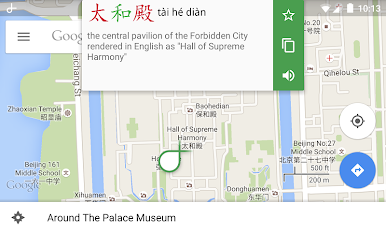
Great for looking up Chinese-only interfaces, app menus, or even names on maps—perfect if your system’s language isn’t your native one. -
Customizable Controls
Choose when the popup handle appears: at startup, on demand, or hidden until you need it. Everything is tweakable in a couple taps.
Whether you’re learning Chinese or just navigating Chinese apps, Hanping Chinese Popup: Screen OCR keeps things easy and fast, putting translations and pronunciations a single tap away.
Eager to take your app experience to the next level? Start right away by downloading BlueStacks on your PC or Mac.


Play Hanping Chinese Popup OCR on PC. It’s easy to get started.
-
Download and install BlueStacks on your PC
-
Complete Google sign-in to access the Play Store, or do it later
-
Look for Hanping Chinese Popup OCR in the search bar at the top right corner
-
Click to install Hanping Chinese Popup OCR from the search results
-
Complete Google sign-in (if you skipped step 2) to install Hanping Chinese Popup OCR
-
Click the Hanping Chinese Popup OCR icon on the home screen to start playing

