


Evermore Arcade
Play on PC with BlueStacks – the Android Gaming Platform, trusted by 500M+ gamers.

Page Modified on: Feb 14, 2026
Play Evermore Arcade on PC or Mac
Bring your A-game to Evermore Arcade, the Arcade game sensation from Evermore Games LLC. Give your gameplay the much-needed boost with precise game controls, high FPS graphics, and top-tier features on your PC or Mac with BlueStacks.
About the Game
Evermore Arcade is a fast, competitive Arcade playground where your skill actually matters. Rack up high scores, square off against real people, and turn sharp play into real cash—no deposits needed. Built by Evermore Games LLC, it runs smoothly on mobile and also feels right at home on a bigger screen with BlueStacks.
Game Features
-
Multiple Ways to Compete: Pick a style that fits your mood. Go unlimited in Arcade Mode, enter scheduled Tournament Mode for higher stakes, or face someone 1v1 in Head‑to‑Head matchups.
-
Real Rewards, No Buy‑Ins: Play to earn—simple as that. Strong performances and high scores translate into points and potential cash prizes, with eligible regions able to withdraw winnings. You’ll never be asked to put money in to start playing.
-
Quick, Skill-First Gameplay: Expect tight, snappy rounds where reflexes and strategy decide the outcome. You’re going up against real players, so every match feels meaningful.
-
A Growing Game Library: Switch things up anytime with classics and fan favorites: Solitaire, word challenges, trick‑shot pool, alley bowling, bubble poppers, Bingo, Mahjong, match‑3 puzzles, Dominoes, and more added regularly.
-
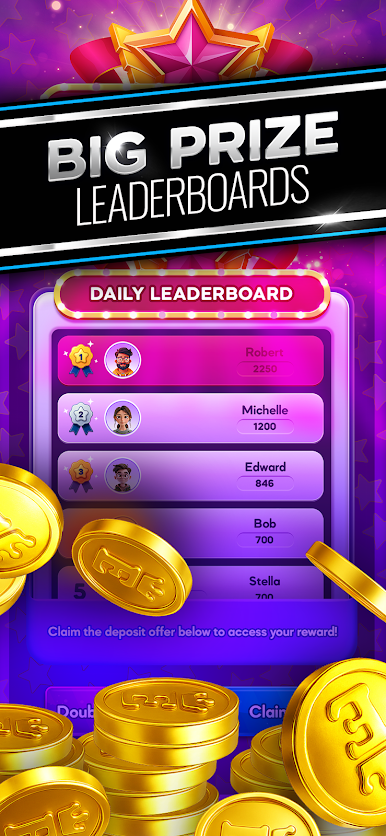
Leaderboards That Matter: Climb Daily and Monthly boards based on pure performance. Hit the top and you’ll be competing for serious cash prizes, not just bragging rights.
-
Jump In Anytime: Short sessions, low friction, and instant competition make it easy to play a few rounds or settle in for a longer run—whether you’re chasing a new high score or a top spot.
Get ready for a buttery smooth, high-performance gaming action only on BlueStacks.








Play Evermore Arcade on PC. It’s easy to get started.
-
Download and install BlueStacks on your PC
-
Complete Google sign-in to access the Play Store, or do it later
-
Look for Evermore Arcade in the search bar at the top right corner
-
Click to install Evermore Arcade from the search results
-
Complete Google sign-in (if you skipped step 2) to install Evermore Arcade
-
Click the Evermore Arcade icon on the home screen to start playing

