


Clear Outside
Play on PC with BlueStacks – the Android Gaming Platform, trusted by 500M+ gamers.

Page Modified on: Feb 12, 2015
Play Clear Outside on PC
Features include:
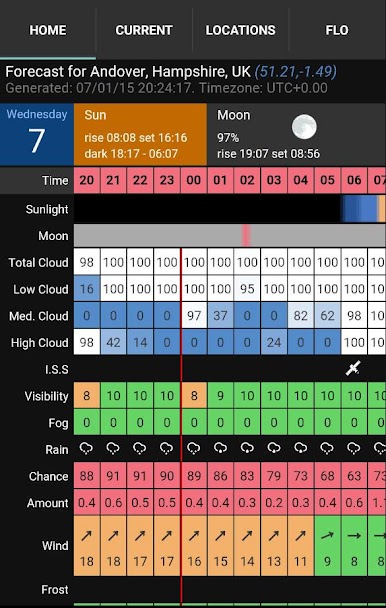
• Seven day hourly forecasts, updated hourly.
• Low, medium, high and total cloud cover.
• Moon rise/set times and phase.
• Sun rise/set and transit.
• Civil/nautical/astronomical darkness.
• International Space Station (ISS) pass-over information.
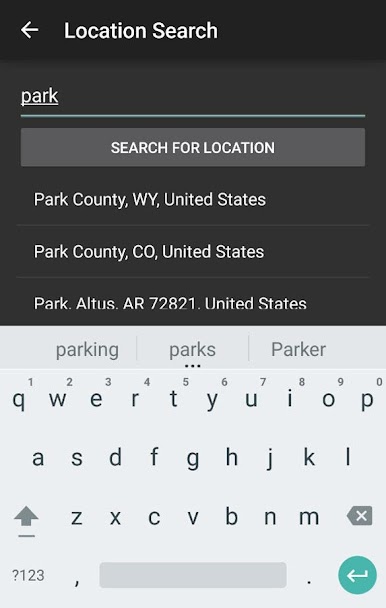
• Location search automatically provides a forecast for your location.
• Save favourite locations for easy access.
• Covers daytime too so also useful for solar observers/imagers.
Updated hourly. Frequent hourly updates are important because often the clear spell between showers provides excellent seeing and 30-minutes under a clear sky with a grab-&-go telescopes is pure gold!
Did you notice the ISS pass-over information? The times are precisely calculated for your location and displayed alongside the cloud forecasts so it has never been easier to observe. It is our favourite feature :-)
Also includes regular weather data (wind, rain, frost, temperature, dew point, etc) so perfect for those wanting a detailed weather forecast, without cutesy graphics.
We have had a lot of fun building and testing Clear Outside and are keen to to develop it further so if you find it useful or have suggestions, please let us know.
Play Clear Outside on PC. It’s easy to get started.
-
Download and install BlueStacks on your PC
-
Complete Google sign-in to access the Play Store, or do it later
-
Look for Clear Outside in the search bar at the top right corner
-
Click to install Clear Outside from the search results
-
Complete Google sign-in (if you skipped step 2) to install Clear Outside
-
Click the Clear Outside icon on the home screen to start playing

