


Chameleon Escape: Hide & Seek
Play on PC with BlueStacks – the Android Gaming Platform, trusted by 500M+ gamers.

Page Modified on: Aug 6, 2026
Main Chameleon Escape: Hide & Seek on PC
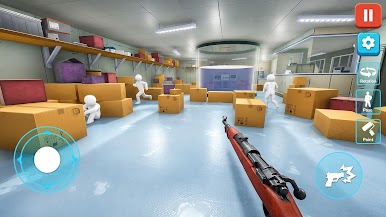
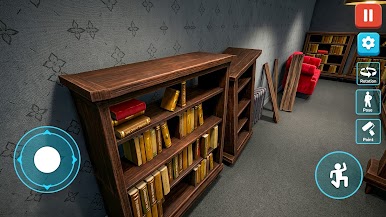
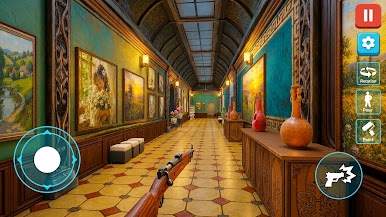
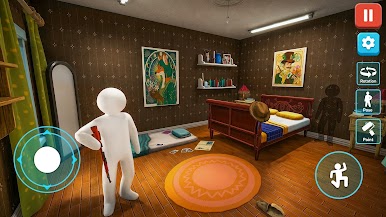
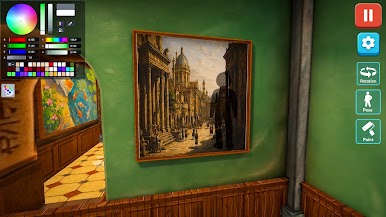
Each level presents a new scene where you'll need to choose the right colors, blend into your surroundings, and find the perfect hiding spot. The better your camouflage, the longer you can stay hidden and complete the challenge.
Game Features
🎨 Paint your character with different colors.
👀 Blend into the environment using smart camouflage.
🙈 Hide from the seeker and avoid being discovered.
🌈 Explore colorful levels with unique hiding spots.
🧩 Test your observation and timing skills.
🎮 Easy one-touch controls and smooth gameplay.
⭐ Complete increasingly challenging hide-and-seek levels.
🏆 Unlock new stages and improve your hiding strategy.
Can you paint, blend, and hide well enough to fool every seeker? Jump into the Paint Hide & Seek Challenge and put your camouflage skills to the test!



Play Chameleon Escape: Hide & Seek on PC. It’s easy to get started.
-
Download and install BlueStacks on your PC
-
Complete Google sign-in to access the Play Store, or do it later
-
Look for Chameleon Escape: Hide & Seek in the search bar at the top right corner
-
Click to install Chameleon Escape: Hide & Seek from the search results
-
Complete Google sign-in (if you skipped step 2) to install Chameleon Escape: Hide & Seek
-
Click the Chameleon Escape: Hide & Seek icon on the home screen to start playing

