


Fliff - Sports Picks
Play on PC with BlueStacks – the Android Gaming Platform, trusted by 500M+ gamers.

Page Modified on: Apr 1, 2026
Play Fliff - Sports Picks on PC or Mac
Fliff – Sports Picks is a Sports game developed by Fliff Inc. BlueStacks app player is the best platform to play this Android game on your PC or Mac for an immersive gaming experience.
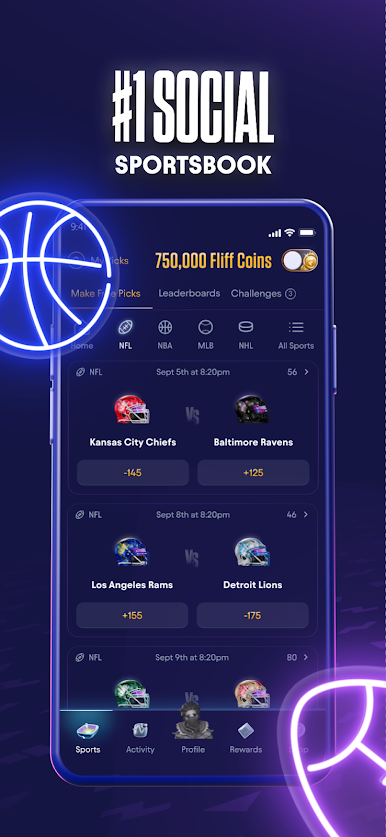
Get ready to elevate your sports enthusiasm to a whole new level with Fliff – the ultimate destination for sports prediction enthusiasts! In the thrilling realm of Fliff, your sports knowledge isn’t just a conversation starter; it’s your ticket to exciting competitions, leaderboards, challenges, and tangible rewards.
Picture this: the thrill of making precise predictions about today’s big game and not just bragging rights but real, competitive gameplay. With Fliff, you can do just that! By using Coins, you can compete head-to-head with a vibrant community of sports aficionados. Move up the leaderboards, conquer challenges, and proudly display your achievements through unlocked badges.
But that’s not all. Fliff takes the excitement a step further with Fliff Cash. Ever dreamt of turning your sports intuition into real cash prizes? Now you can! Participate in Fliff’s sweepstakes using Fliff Cash and stand a chance to win impressive rewards. The best part? Fliff is free to play! With a constant flow of Coins and Fliff Cash waiting to be claimed, the action never stops. It’s a playground where your sports expertise earns you recognition, rewards, and the thrill of being a part of a passionate sports community. So why wait? Dive into Fliff and let the games begin. Enjoy this game with BlueStacks today!















Play Fliff - Sports Picks on PC. It’s easy to get started.
-
Download and install BlueStacks on your PC
-
Complete Google sign-in to access the Play Store, or do it later
-
Look for Fliff - Sports Picks in the search bar at the top right corner
-
Click to install Fliff - Sports Picks from the search results
-
Complete Google sign-in (if you skipped step 2) to install Fliff - Sports Picks
-
Click the Fliff - Sports Picks icon on the home screen to start playing

