


MARVEL Strike Force: Squad RPG
Play on PC with BlueStacks – the Android Gaming Platform, trusted by 500M+ gamers.

Page Modified on: Sep 30, 2026
Play MARVEL Strike Force: Squad RPG on PC or Mac
MARVEL Strike Force: Squad RPG is a Role Playing game developed by Scopely. BlueStacks app player is the best platform to play this Android game on your PC or Mac for an immersive gaming experience.
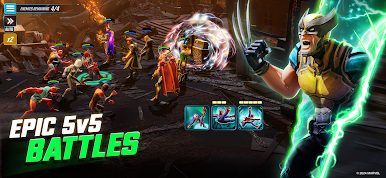
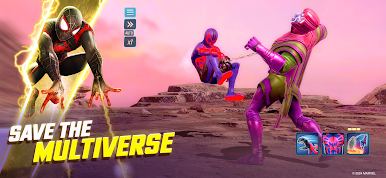
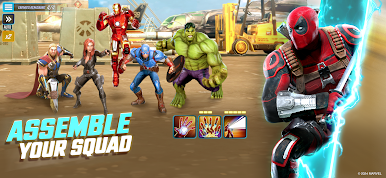
Unite the heroes and villains to defend the universe against a destructive threat. Put characters like Iron Man, Loki, Hulk, Venom, and others in the same team and lead them to complete your quest. You can even enter 5v5 battles against other players to showcase your team’s ability.
About the Game
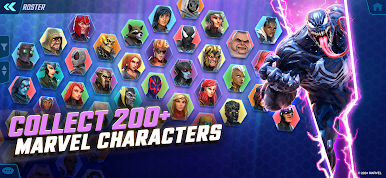
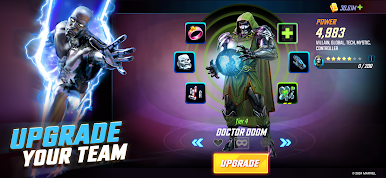
MARVEL Strike Force: Squad RPG gives you access to dozens of familiar heroes and villains. It allows you to enhance your team’s strength by upgrading every character’s tier to get the upper hand in battle or a specific game mode.
Gameplay Overview
In order to save the world, you need to be strategic. Pair up certain heroes and villains in your squad to unleash devastating attacks and defeat your enemies. Use your keyboard or gamepad controller to move your squad around and launch attacks in battle.
Game Features
- High-quality graphics
- Over 200 characters
- Challenging multiplayer battles
How to Play?
Download MARVEL Strike Force: Squad RPG for free from the Google Play Store using the BlueStacks app player.

Play MARVEL Strike Force: Squad RPG on PC. It’s easy to get started.
-
Download and install BlueStacks on your PC
-
Complete Google sign-in to access the Play Store, or do it later
-
Look for MARVEL Strike Force: Squad RPG in the search bar at the top right corner
-
Click to install MARVEL Strike Force: Squad RPG from the search results
-
Complete Google sign-in (if you skipped step 2) to install MARVEL Strike Force: Squad RPG
-
Click the MARVEL Strike Force: Squad RPG icon on the home screen to start playing

