


Moby Donk
Play on PC with BlueStacks – the Android Gaming Platform, trusted by 500M+ gamers.

Page Modified on: Nov 18, 2026
Overview
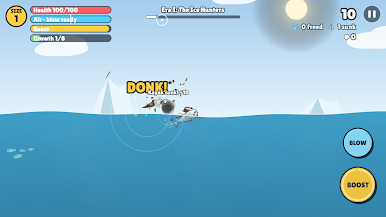
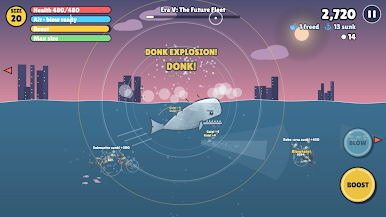
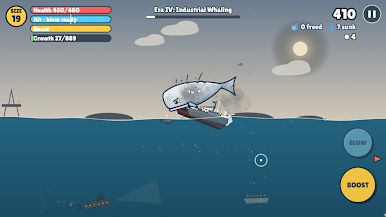
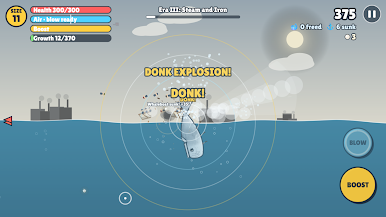
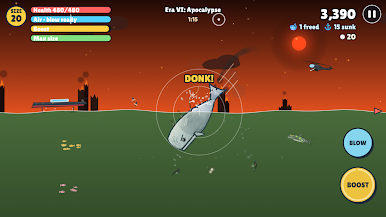
Dive deep, build speed, and launch yourself out of the sea. Come crashing down on the boats with a belly-flop shockwave we call the DONK. Time a blowhole blast right before you land and you get a DONK EXPLOSION that flattens everything nearby.
SWIM THROUGH 300 YEARS OF WHALING
Every era brings new hunters, new weapons and a new sky:
• Era I: The Ice Hunters – kayaks and skin boats
• Era II: Age of Sail – tall ships towing captured whales
• Era III: Steam and Iron – harpoon cannons and gunboats
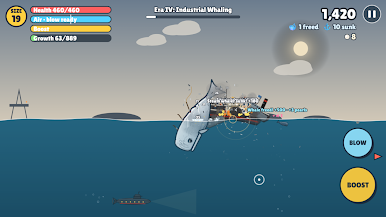
• Era IV: Industrial Whaling – factory ships, helicopters, depth charges and submarines
• Era V: The Future Fleet – drones, gunships, hydrofoils and robotic killer whales
• Era VI: Apocalypse – war rigs lobbing mini-nukes, raiders, rad-sharks and mutants in a burning sea
GROW, BREACH, SURVIVE
• Eat fish and squid to grow bigger, tougher and harder to stop
• Watch your air: surface to breathe, but the hunters are waiting up there
• Sink whaling ships to set captured whales free
• Ram from below, uppercut from the deep, or blast them with your blowhole
COLLECT PEARLS, UNLOCK SKINS
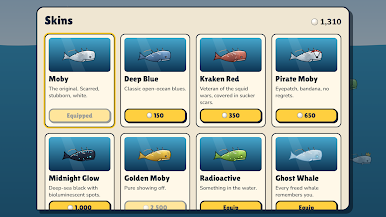
Gather pearls every run and spend them on new looks: Deep Blue, Kraken Red, Pirate Moby, Midnight Glow and Golden Moby.
MADE FOR QUICK RUNS
• Simple one-thumb steering with BOOST and BLOW buttons
• Runs last a few minutes; chase your best score and your furthest era
• Bright hand-drawn style with fully synthesized music and sound
• No account or sign-up; your progress saves on your device
Grow big. Breach high. Sink the hunters. Free your pod.

Play Moby Donk on PC. It’s easy to get started.
-
Download and install BlueStacks on your PC
-
Complete Google sign-in to access the Play Store, or do it later
-
Look for Moby Donk in the search bar at the top right corner
-
Click to install Moby Donk from the search results
-
Complete Google sign-in (if you skipped step 2) to install Moby Donk
-
Click the Moby Donk icon on the home screen to start playing

