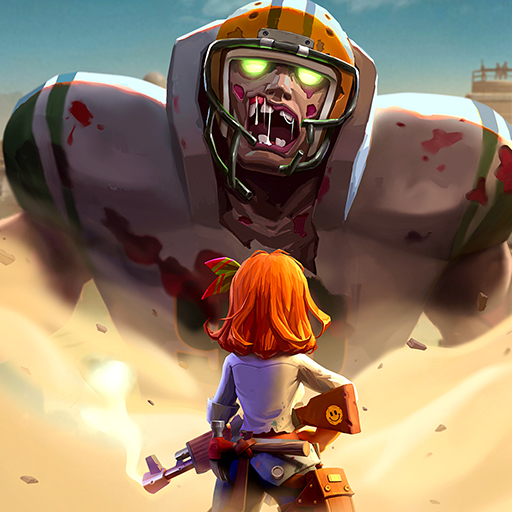

Last War:Survival Game
Play on PC with BlueStacks – the Android Gaming Platform, trusted by 500M+ gamers.

Page Modified on: Apr 30, 2024
Play Last War:Survival Game on PC
Last War:Survival Game is a Strategy game developed by FirstFun Studio. BlueStacks app player is the best platform to play this Android game on your PC or Mac for an immersive gaming experience.
Welcome to the harrowing world of Last War: Survival Game, where the once-thriving cities have succumbed to the relentless grip of the zombie apocalypse. As a survivor in this unforgiving landscape, your mission is simple yet daunting: stay human and stay alive.
The streets that were once bustling with life are now eerily quiet, with the only sounds being the shuffling footsteps of the undead. The world you once knew has been turned upside down, and survival is no longer a guarantee.
In Last War: Survival Game, you’ll be confronted with constant threats, forcing you to make tough decisions to ensure your survival. Resources are scarce, and danger lurks around every corner, making every step a matter of life and death.
To stay human means holding on to your humanity in the face of despair. Amidst the chaos, you’ll be tested not only physically but also emotionally. The bonds you form with other survivors can be a source of strength, providing support and hope in this dark and desolate world.
As you scavenge for supplies, craft weapons, and fortify your shelter, you’ll need to stay vigilant. The zombies are relentless, and survival requires wit, skill, and strategy.
Last War: Survival Game is not just about fighting zombies; it’s about the resilience of the human spirit. Can you endure the horrors of the apocalypse and emerge as a survivor? The fate of humanity lies in your hands. Gather your courage, sharpen your survival instincts, and brace yourself for the ultimate test in this gripping and thrilling survival game. Enjoy this game with BlueStacks today!


Play Last War:Survival Game on PC. It’s easy to get started.
-
Download and install BlueStacks on your PC
-
Complete Google sign-in to access the Play Store, or do it later
-
Look for Last War:Survival Game in the search bar at the top right corner
-
Click to install Last War:Survival Game from the search results
-
Complete Google sign-in (if you skipped step 2) to install Last War:Survival Game
-
Click the Last War:Survival Game icon on the home screen to start playing