


Beat Maker: Music Sandbox
Play on PC with BlueStacks – the Android Gaming Platform, trusted by 500M+ gamers.

Page Modified on: May 7, 2026
Play Beat Maker: Music Sandbox on PC or Mac
From the innovators and creators at Agro Smart, Beat Maker: Music Sandbox is another fun addition to the World of Adventure games. Go beyond your mobile screen and play it bigger and better on your PC or Mac. An immersive experience awaits you.
About the Game
Beat Maker: Music Sandbox is a laid-back Adventure from Agro Smart where you shape rhythms with your fingertips. Pick a sound, drop it in, and hear your idea click into place—no steep learning curve, just pure play. It’s a simple, open-ended music toy that lets you relax, experiment, and stumble onto grooves you didn’t know you had. Prefer a bigger canvas? It’s comfy on BlueStacks too, especially for quick click-and-drag moves.
Game Features
- Drag-and-drop creation: Build tracks by placing sounds exactly where you want them—fast, tactile, and super easy to learn.
- Instant feedback: Try a combo, listen right away, and tweak on the spot until it hits just right.
- Limitless mixes: Shuffle pieces around to uncover fresh rhythms—every small change can spark a completely new vibe.
- Creative sandbox: No missions or pressure. It’s you, your ideas, and a flexible space to explore what sounds good.
- Easygoing controls: Friendly, straightforward tools make beat-making approachable whether you’re brand-new or just messing around.
- Mood-friendly play: Use it to unwind, zone out, or spark a quick burst of inspiration between tasks.
- Freestyle workflow: Layer, swap, and rearrange sounds in seconds—follow a plan or go with whatever groove shows up.
Make your gaming sessions memorable with precise controls that give you an edge in close combats and visuals that pop up, bringing every character to life.
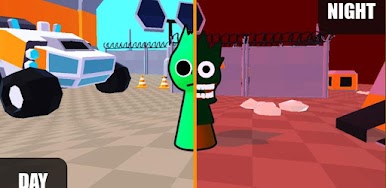
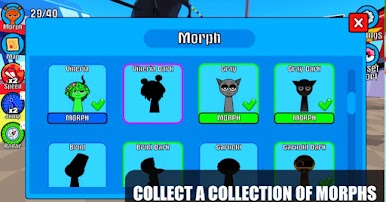

Play Beat Maker: Music Sandbox on PC. It’s easy to get started.
-
Download and install BlueStacks on your PC
-
Complete Google sign-in to access the Play Store, or do it later
-
Look for Beat Maker: Music Sandbox in the search bar at the top right corner
-
Click to install Beat Maker: Music Sandbox from the search results
-
Complete Google sign-in (if you skipped step 2) to install Beat Maker: Music Sandbox
-
Click the Beat Maker: Music Sandbox icon on the home screen to start playing

