


BetterMe: Mental Health
Play on PC with BlueStacks – the Android Gaming Platform, trusted by 500M+ gamers.

Page Modified on: Aug 20, 2025
Play BetterMe: Mental Health on PC
Mindfulness is key to a balanced life, and BetterMe offers simple, practical relaxation methods for everyone, whether you're just starting out or already a pro. Dive into guided practices and start discovering your inner peace today—let's embrace the good vibes together!
Teaming up with mental health experts, we have used effective tools and strategies from Cognitive Behavioral Therapy (CBT) to help you tune in to the world surrounding you.
Incorporate mindfulness into your daily routine through guided meditations, stress-relief practices, breathwork, sleep meditations, and hundreds of mental health exercises. When your mind is clear, you concentrate better, feel inspired, and get more life energy.
Just a few minutes can really boost your well-being. Opt for quick breathing practices to set the intention for the day or longer meditations to soothe your nerves.
Start your journey with BetterMe as you reduce stress, discover self-love, and enhance your mental well-being.
🌿 BetterMe Mental Health features:
• Step-by-step plan
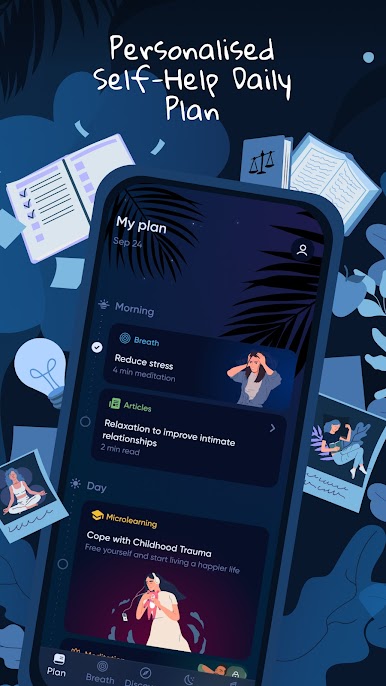
Get your daily tasks for morning, afternoon, and evening. Each one consists of a breathing exercise or guided meditation and takes no more than 5 minutes.
• Breathing exercises
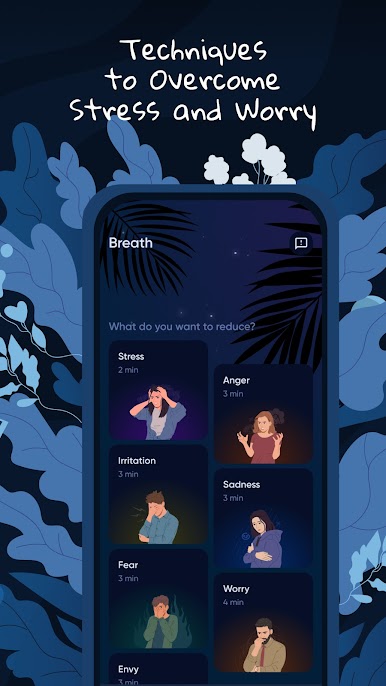
Access a collection of 3-minute breathing sessions to shake off worry, stress, and anger. Practice anytime and anywhere—whether you're walking, taking the bus, or waiting in line.
• Meditations
Explore hundreds of guided meditations to boost mindfulness, recharge your energy, and fully embrace the present moment.
• Sleep stories and calming sounds
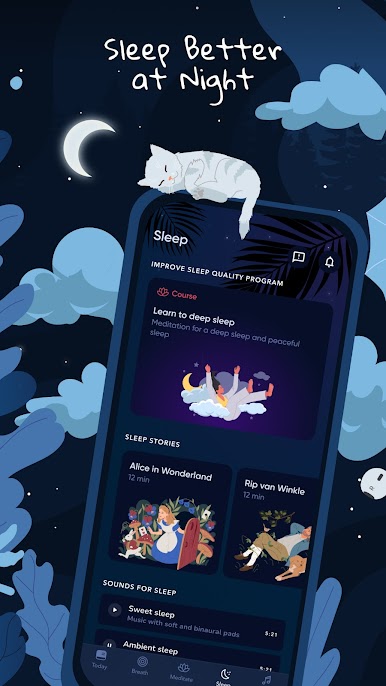
Relax with soothing stories and mellow sounds to enhance your sleep quality and unwind after a long day.
• Mix and match relaxation sounds
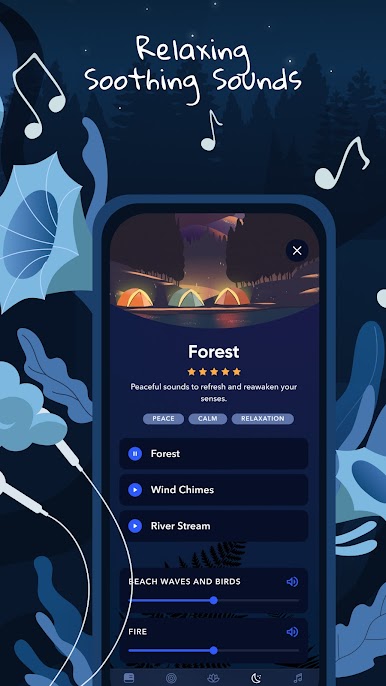
Snow Steps, Beach Waves, Birds, Cat Purr, Fire, Forest, Rain, and more—create an ideal atmosphere that aligns with your emotions.
Turn on our sleep timer to wrap up your evening on the perfect note.
• Interactive Mental Assistant
Start a chat with your go-to advisor for emotional support and guidance.
Download BetterMe now and embark on your journey to a more peaceful, balanced life.
We offer flexible subscription plans on Google Play, so you can choose what works best for you. Please note that subscriptions automatically renew within 24 hours before the end of the free trial or the current subscription period. You can manage or cancel your subscription anytime through your Google Play account settings.
ℹ️ BetterMe: Mental Health provides general guidance on relaxation and mindfulness. It is not designed or intended to diagnose, treat, cure, or prevent any health conditions. The insights from the app are not a substitute for professional medical care and might not be suitable for everyone. Before adopting any advice or activities described above, always consult a healthcare professional. Use this app at your own discretion.
Terms of Use - https://betterme.world/terms
Privacy Policy - https://betterme.world/privacy-policy
Subscription Terms - https://betterme.world/subscription-terms
Play BetterMe: Mental Health on PC. It’s easy to get started.
-
Download and install BlueStacks on your PC
-
Complete Google sign-in to access the Play Store, or do it later
-
Look for BetterMe: Mental Health in the search bar at the top right corner
-
Click to install BetterMe: Mental Health from the search results
-
Complete Google sign-in (if you skipped step 2) to install BetterMe: Mental Health
-
Click the BetterMe: Mental Health icon on the home screen to start playing

