


Soccer Flick 3D
Play on PC with BlueStacks – the Android Gaming Platform, trusted by 500M+ gamers.

Page Modified on: Jul 5, 2026
Play Soccer Flick 3D on PC
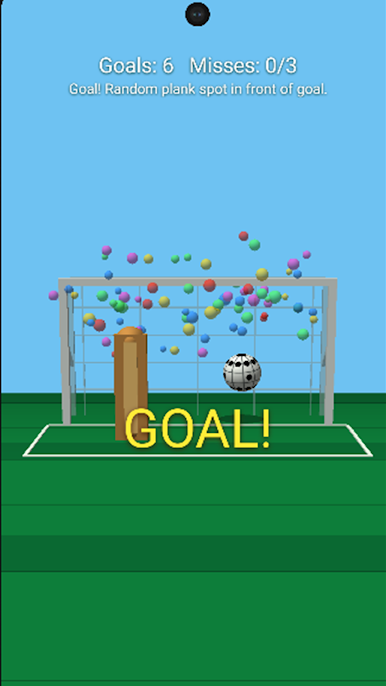
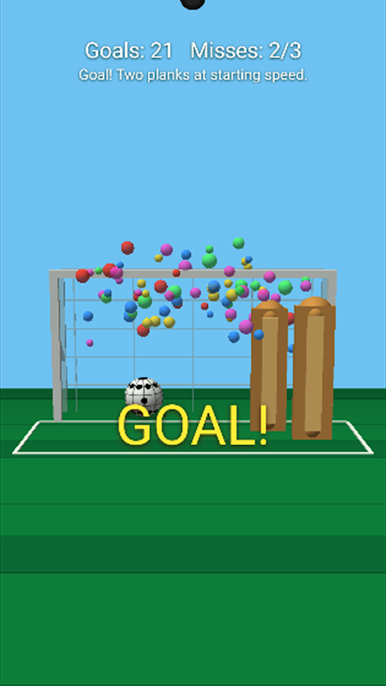
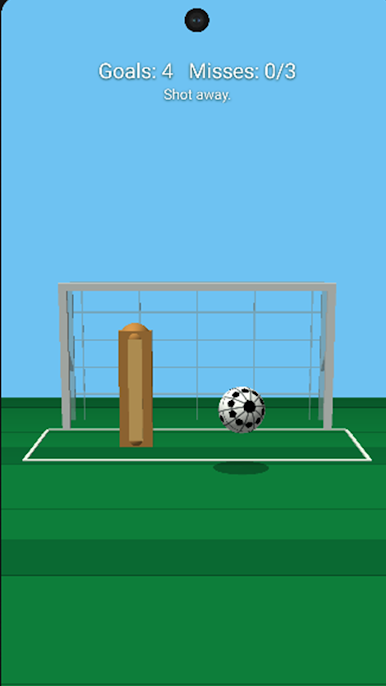
Swipe to kick the soccer ball toward the goal, curve your shot around the wooden blocker, and score as many goals as you can. The higher your score gets, the harder the challenge becomes. Planks move across the goal, spawn in new spots, and eventually multiply to block your shots.
Features:
- Flick-to-shoot soccer controls
- Curve shots with angled swipes
- 3D soccer ball, goal, field, and blockers
- Bouncing ball physics
- Increasing difficulty as your score rises
- 3 misses means game over
- Hi-score tracking
- Goal celebration with fireworks
Aim carefully, bend the ball around the planks, and see how high you can score

Play Soccer Flick 3D on PC. It’s easy to get started.
-
Download and install BlueStacks on your PC
-
Complete Google sign-in to access the Play Store, or do it later
-
Look for Soccer Flick 3D in the search bar at the top right corner
-
Click to install Soccer Flick 3D from the search results
-
Complete Google sign-in (if you skipped step 2) to install Soccer Flick 3D
-
Click the Soccer Flick 3D icon on the home screen to start playing

