


FTP Plugin for Total Commander
Play on PC with BlueStacks – the Android Gaming Platform, trusted by 500M+ gamers.

Page Modified on: Jul 16, 2025
Run FTP Plugin for Total Commander on PC or Mac
Why limit yourself to your small screen on the phone? Run FTP Plugin for Total Commander, an app by C. Ghisler, best experienced on your PC or Mac with BlueStacks, the world’s #1 Android emulator.
About the App
Ever found yourself wanting a quick, fuss-free way to move files between your device and a server? FTP Plugin for Total Commander by C. Ghisler is designed for those who use Total Commander and need to handle files over FTP or FTPS without jumping through hoops. This handy tool keeps things simple, giving you secure and reliable file transfers. If you’re the kind of person who wants direct access to remote folders right from your favorite Android file manager (yep, Total Commander), this one’s built for you. And if you like using your trusty PC or want things running with BlueStacks, you’re all set.
App Features
-
FTP & FTPS Transfers
Effortlessly connect to your FTP or FTPS servers and move files back and forth—whether you’re sorting out backups or just shuffling documents around, it’s got you covered. -
Seamless Total Commander Integration
Works hand-in-hand with Total Commander (required!), so you get all FTP functions inside the app you already know, without having to switch away from your usual file manager. -
Secure File Handling
Built-in support for FTPS, meaning your transfers use SSL for extra security if you want it. So your data doesn’t have to travel unprotected. -
No Extra Fiddling Needed
Once plugged in, you can access remote files just like you’d move stuff around on your device. Just tap, drag, or copy—done. -
Runs Great with BlueStacks
Prefer managing your files on a larger screen with BlueStacks? This plugin fits right in, bringing that server-connection power to your computer too. -
Special Note on SFTP
If you’re after SSH-based SFTP support, there’s another plugin made specifically for that. This one keeps its focus on FTP and FTPS for streamlined performance.
That’s the gist—just make sure you have Total Commander installed first!
Big screen. Bigger performance. Use BlueStacks on your PC or Mac to run your favorite apps.
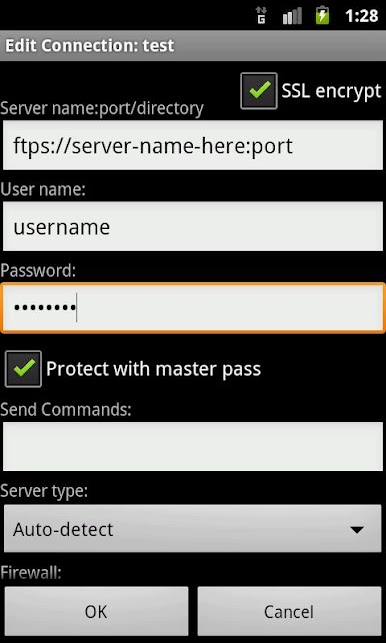
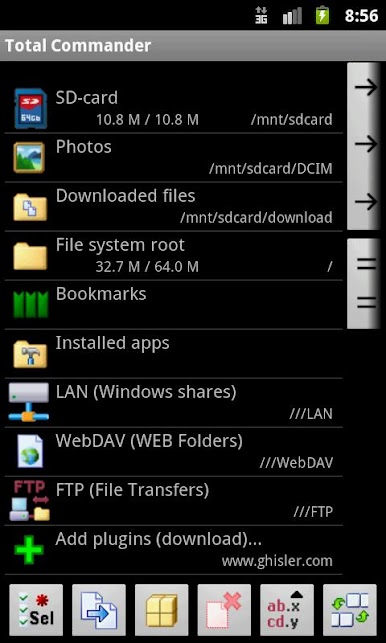
Play FTP Plugin for Total Commander on PC. It’s easy to get started.
-
Download and install BlueStacks on your PC
-
Complete Google sign-in to access the Play Store, or do it later
-
Look for FTP Plugin for Total Commander in the search bar at the top right corner
-
Click to install FTP Plugin for Total Commander from the search results
-
Complete Google sign-in (if you skipped step 2) to install FTP Plugin for Total Commander
-
Click the FTP Plugin for Total Commander icon on the home screen to start playing

