


Car Driving Academy-DriveVerse
Play on PC with BlueStacks – the Android Gaming Platform, trusted by 500M+ gamers.

Page Modified on: Jul 16, 2026
Main Car Driving Academy-DriveVerse on PC
Start your journey as a beginner driver and complete professional driving academy challenges across 5 immersive chapters.
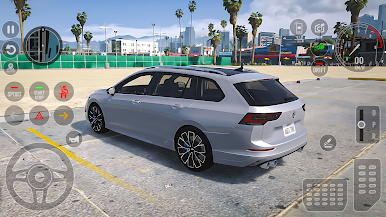
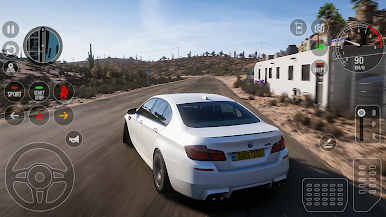
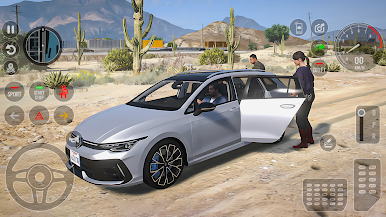
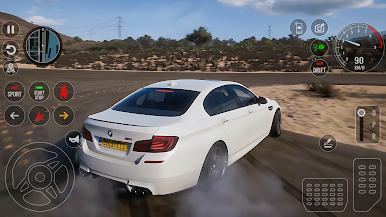
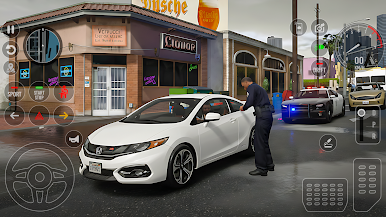
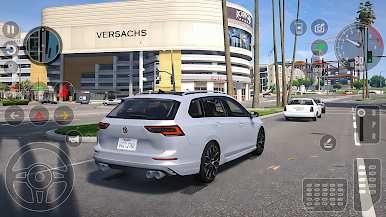
Drive through countryside roads, rush hour city traffic, mountain highways, and precision parking zones, all designed to test your real driving skills.
This is not an arcade game. This is a complete driving school experience.
🎓 5 Realistic Chapters
🏡 Countryside & Police Training
🌆 Rush Hour City Driving
🏔 Mountain Drive Challenge
🅿️ Advanced Parking School
🏁 Final Driving Skill Test
Each chapter increases difficulty and pushes your control, patience, and road awareness to the next level.
🚘 Real Simulator Features
✔ Manual & Automatic Gearbox
✔ Real Traffic Rules System
✔ Indicators & Signal Use
✔ Traffic Fines & Penalties
✔ Fuel System
✔ Realistic Car Physics
✔ Open World Environment
✔ Multiple Camera Views
✔ Steering, Buttons & Tilt Controls
✔ Offline Gameplay
🅿️ Parking & License Mode
Test your precision with tight parking missions, reverse challenges, and timed tests.
Follow traffic signals, respect speed limits, avoid penalties, and prove you deserve your driving license.
If you love realistic driving games, car simulators, and driving school challenges —
Car Driving Academy-DriveVerse is your ultimate test.
Pre-register now and start your journey to become a real driving master.
Play Car Driving Academy-DriveVerse on PC. It’s easy to get started.
-
Download and install BlueStacks on your PC
-
Complete Google sign-in to access the Play Store, or do it later
-
Look for Car Driving Academy-DriveVerse in the search bar at the top right corner
-
Click to install Car Driving Academy-DriveVerse from the search results
-
Complete Google sign-in (if you skipped step 2) to install Car Driving Academy-DriveVerse
-
Click the Car Driving Academy-DriveVerse icon on the home screen to start playing

