


Bus Jam: Traffic Trouble
Play on PC with BlueStacks – the Android Gaming Platform, trusted by 500M+ gamers.

Page Modified on: Aug 4, 2026
Play Bus Jam: Traffic Trouble on PC
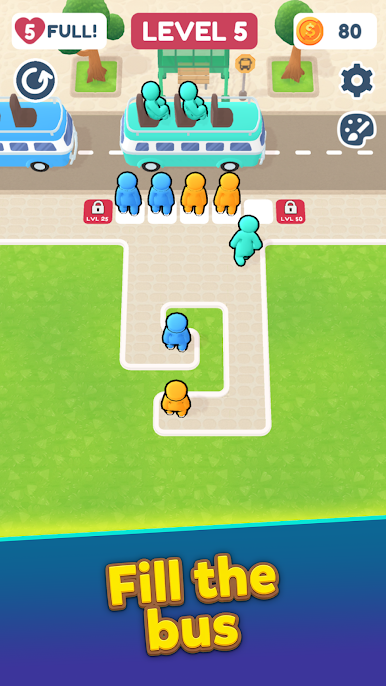
Welcome to Bus Jam: Traffic Trouble, a colorful puzzle game where every move matters. Guide passengers through crowded pathways, match them with the correct buses, and keep the line moving without creating a traffic disaster.
What starts as a simple boarding task quickly turns into a satisfying puzzle challenge. Riders block one another, new colors appear, hidden passengers are revealed, and every level requires careful planning to avoid getting stuck.
How to Play
Tap passengers to send them toward the boarding area.
Match riders with buses of the correct color.
Fill each bus and dispatch it to free up space.
Plan ahead to prevent blocked paths and traffic jams.
Complete increasingly challenging levels filled with new obstacles.
Features
🚌 Easy-to-learn passenger sorting gameplay
🎯 Hundreds of handcrafted puzzle challenges
🔍 Hidden passengers and surprise level mechanics
🧩 Strategic decisions that reward smart planning
⚡ Helpful boosters when a level gets crowded
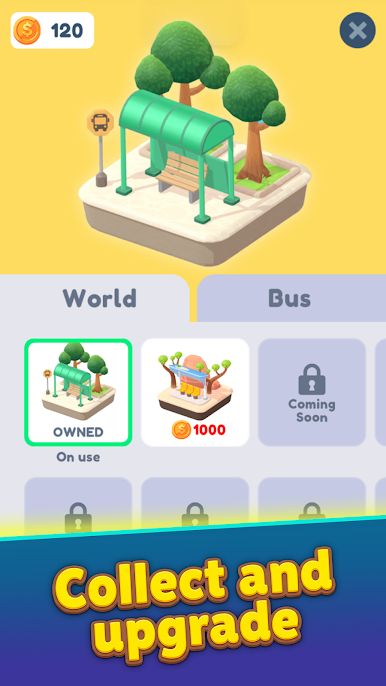
🎨 Unlock new themes and bus stop designs
🌟 Bright visuals and smooth animations
Whether you're looking for a quick brain teaser or a longer puzzle session, Bus Jam: Traffic Trouble offers a relaxing yet rewarding experience packed with satisfying passenger-sorting puzzles.

Play Bus Jam: Traffic Trouble on PC. It’s easy to get started.
-
Download and install BlueStacks on your PC
-
Complete Google sign-in to access the Play Store, or do it later
-
Look for Bus Jam: Traffic Trouble in the search bar at the top right corner
-
Click to install Bus Jam: Traffic Trouble from the search results
-
Complete Google sign-in (if you skipped step 2) to install Bus Jam: Traffic Trouble
-
Click the Bus Jam: Traffic Trouble icon on the home screen to start playing

