


RicePOS
Play on PC with BlueStacks – the Android Gaming Platform, trusted by 500M+ gamers.

Page Modified on: Jun 14, 2026
Play RicePOS on PC
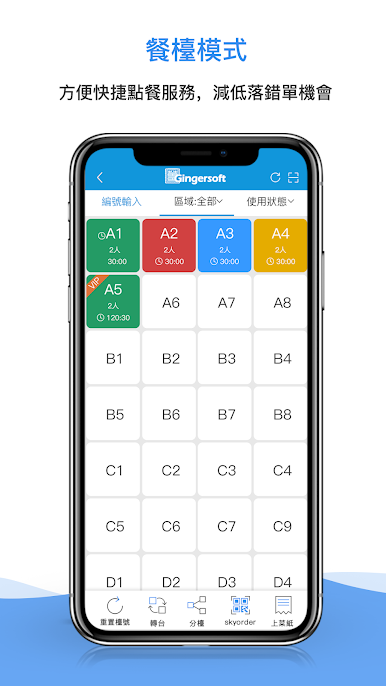
【Dining table mode】
The ordering mode that integrates ordering, discounts, and payment equals one, saving restaurant staff time and effectively improving the efficiency of restaurant ordering.
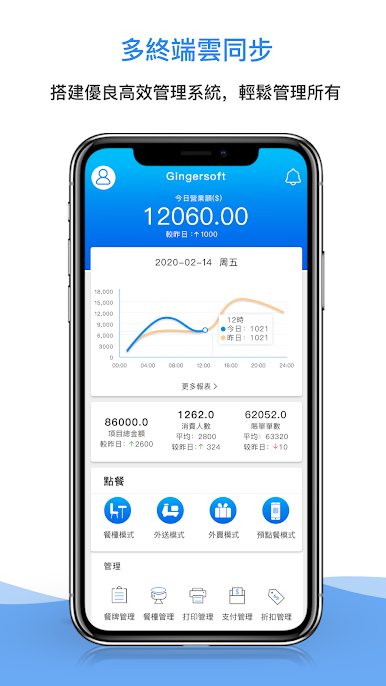
【Takeaway order】
Takeaway orders from customers and APP web pages are received in real time, and the functions are simple and easy to understand.
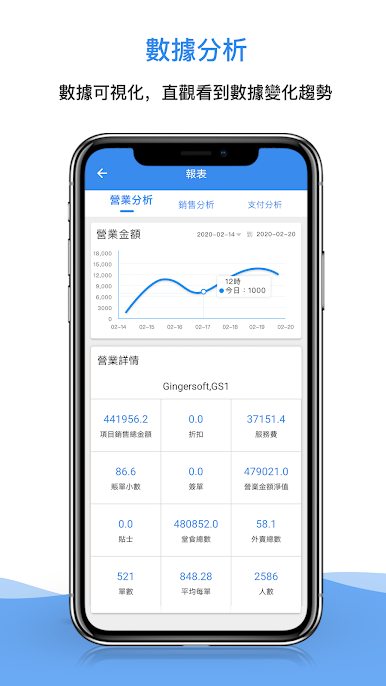
【data analysis】
Comprehensive and diversified report management analysis, business reports, sales reports, payment reports, member consumption analysis and other professional reports covering store operation analysis.
【Applicable Industry】
Suitable for large, medium and small businesses, such as milk tea shops, snack bars, Chinese restaurants, barbecue restaurants, hot pot restaurants, etc.
Play RicePOS on PC. It’s easy to get started.
-
Download and install BlueStacks on your PC
-
Complete Google sign-in to access the Play Store, or do it later
-
Look for RicePOS in the search bar at the top right corner
-
Click to install RicePOS from the search results
-
Complete Google sign-in (if you skipped step 2) to install RicePOS
-
Click the RicePOS icon on the home screen to start playing

