


Carry The Glass
Play on PC with BlueStacks – the Android Gaming Platform, trusted by 500M+ gamers.

Page Modified on: Aug 6, 2026
Main Carry The Glass on PC
Features:
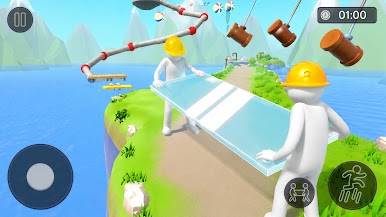
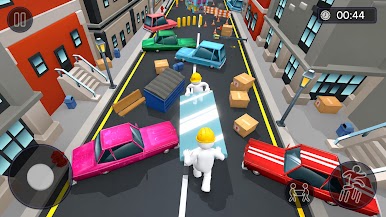
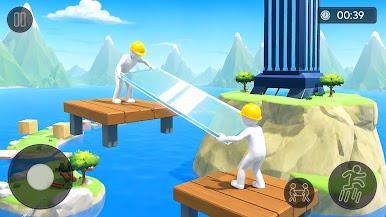
Two-Player Cooperative Game play – Work together to safely carry the fragile glass.
Smooth & Responsive Controls – Enjoy easy-to-learn and precise movement.
Physics-Based Challenge – Balance the glass carefully to avoid breaking it.
Obstacle-Filled Levels – Navigate through exciting and challenging paths.
Increasing Difficulty – Face tougher obstacles as you progress.
Teamwork & Coordination – Communicate and move in sync to succeed.
Simple to Learn, Hard to Master – Perfect for casual players and challenge seekers alike.
Fun for All Ages – A rewarding experience for friends and family.
Do you have the patience, balance, and needed to keep the glass safe? Take on the challenge, avoid breaking the glass, and see how far you and your partner can go.

Play Carry The Glass on PC. It’s easy to get started.
-
Download and install BlueStacks on your PC
-
Complete Google sign-in to access the Play Store, or do it later
-
Look for Carry The Glass in the search bar at the top right corner
-
Click to install Carry The Glass from the search results
-
Complete Google sign-in (if you skipped step 2) to install Carry The Glass
-
Click the Carry The Glass icon on the home screen to start playing

