


FRONTLINE COMMANDO 2
Play on PC with BlueStacks – the Android Gaming Platform, trusted by 500M+ gamers.

Page Modified on: Dec 21, 2025
Overview
Betrayed and left for dead on the battlefield, you must build your team of mercenaries and exact a war of revenge against your enemies.
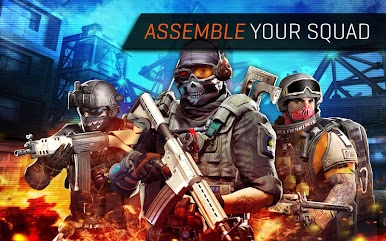
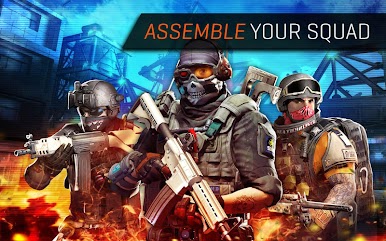
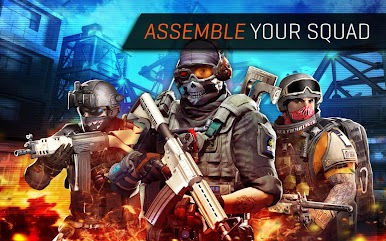
ASSEMBLE YOUR ELITE SQUAD
Recruit and train soldiers and lead the ultimate war team to the battlefield! Choose from 65 possible unique squad members, from sharpshooters to medics.
DOMINATE ACTION-PACKED CAMPAIGNS
Lead your squad to victory through 40 unique missions and 13 elite challenges, including online PVP.
BATTLE FOR ONLINE PVP SUPREMACY
Think you have an unstoppable squad? Challenge other shooters online for the ultimate bragging rights in PVP!
FACE PERILOUS URBAN WARFARE
Shoot your way through 7 destructible battlefields! Take on snipers, heavy weapon specialists, tanks, helicopters, flying drones and more!
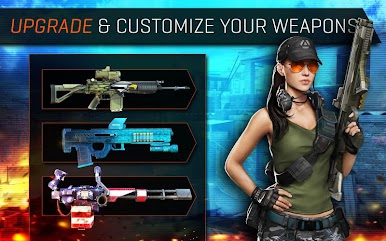
COMMAND ADVANCED WEAPONRY
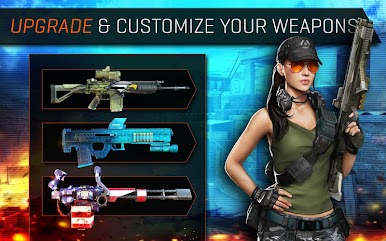
Maximize your firepower with multiple, upgradable weapon classes including sniper rifles, assault rifles, shotguns and machine guns. Utilize special war gear on the battlefield such as drones, grenades and RPGs.
High-end, immersive tablet gameplay!
YOUR SQUAD. YOUR WAR.
---------------------------------------------
PLEASE NOTE:
- This game is free to play, but you can choose to pay real money for some extra items, which will charge your Google account. You can disable in-app purchasing by adjusting your device settings.
-This game is not intended for children.
- Please buy carefully.
- Advertising appears in this game.
- This game may permit users to interact with one another (e.g., chat rooms, player to player chat, messaging) depending on the availability of these features. Linking to social networking sites are not intended for persons in violation of the applicable rules of such social networking sites.
- A network connection is required to play.
- For information about how Glu collects and uses your data, please read our privacy policy at: www.Glu.com/privacy
- If you have a problem with this game, please use the game’s “Help” feature.
FOLLOW US at
Twitter @glumobile
facebook.com/glumobile

Play FRONTLINE COMMANDO 2 on PC. It’s easy to get started.
-
Download and install BlueStacks on your PC
-
Complete Google sign-in to access the Play Store, or do it later
-
Look for FRONTLINE COMMANDO 2 in the search bar at the top right corner
-
Click to install FRONTLINE COMMANDO 2 from the search results
-
Complete Google sign-in (if you skipped step 2) to install FRONTLINE COMMANDO 2
-
Click the FRONTLINE COMMANDO 2 icon on the home screen to start playing

