


BLOOD & GLORY
Play on PC with BlueStacks – the Android Gaming Platform, trusted by 500M+ gamers.

Page Modified on: Oct 29, 2026
Overview
LET THE GAMES BEGIN…
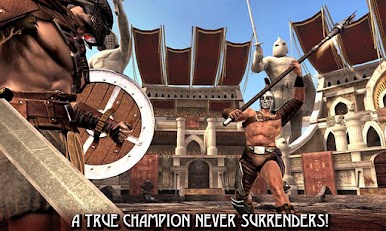
Some have come to witness strength, others to witness courage, but all have come for BLOOD & GLORY
Battle in the arena and entertain the crowds in a fight to the death. Here, GLORY is the only option…
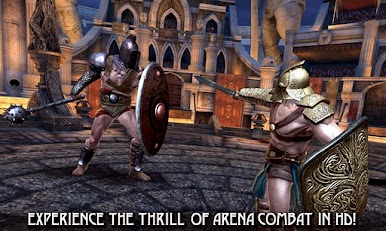
IMPRESSIVE HD VISUALS
See and feel the raw violence of the fighters and the intense combat arena
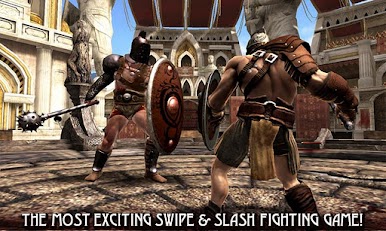
SWIPE & SLASH GORE
Take to the Arena in the most action packed swipe and slash fighting game on Google Play
LETHAL WEAPONS & ARMOR
Equip an arsenal of lethal weapons and armor tailored to suit all fight styles, including blades & shields, and destructive dual weapons
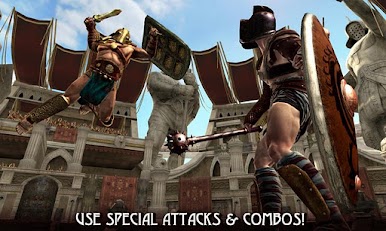
SPECIAL ATTACKS & COMBOS
Complete special attacks and combos for the ultimate victory!
INVICTUS VICTORY
Be a real champion and earn Invictus medals by winning tournaments flawlessly. Don’t lose and never surrender!
2011 © Glu Mobile Inc. GLU, BLOOD & GLORY are the trademarks or registered trademarks of Glu Mobile Inc. in the United States and other jurisdictions. All rights reserved.
+++ XPERIA PLAY OPTIMIZED +++
PLEASE NOTE:
- This game is free to play, but you can choose to pay real money for some extra items, which will charge your Google account. You can disable in-app purchasing by adjusting your device settings.
-This game is not intended for children.
- Please buy carefully.
- Advertising appears in this game.
- This game may permit users to interact with one another (e.g., chat rooms, player to player chat, messaging) depending on the availability of these features. Linking to social networking sites are not intended for persons in violation of the applicable rules of such social networking sites.
- A network connection is required to play.
- For information about how Glu collects and uses your data, please read our privacy policy at: www.Glu.com/privacy
- If you have a problem with this game, please use the game’s “Help” feature.
FOLLOW US at
Twitter @glumobile
facebook.com/glumobile



Play BLOOD & GLORY on PC. It’s easy to get started.
-
Download and install BlueStacks on your PC
-
Complete Google sign-in to access the Play Store, or do it later
-
Look for BLOOD & GLORY in the search bar at the top right corner
-
Click to install BLOOD & GLORY from the search results
-
Complete Google sign-in (if you skipped step 2) to install BLOOD & GLORY
-
Click the BLOOD & GLORY icon on the home screen to start playing

