


Sparrow Mahjong
Play on PC with BlueStacks – the Android Gaming Platform, trusted by 500M+ gamers.

Page Modified on: Aug 11, 2026
Play Sparrow Mahjong on PC
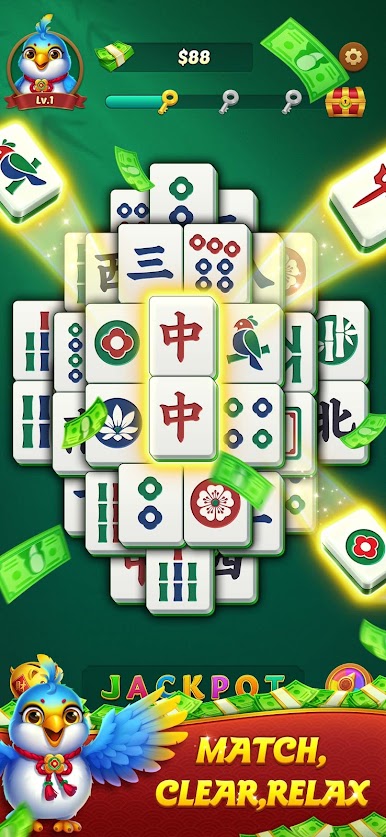
Simply find two identical mahjong tiles and tap to match them. Clear every tile on the board to complete the level and unlock the next challenge. With simple controls and satisfying gameplay, Sparrow Mahjong is easy to learn and fun to master.
Game Features
🀄 Classic Mahjong Matching
·Match two identical mahjong tiles.
·Clear the entire board to complete each level.
·Simple rules with endless puzzle fun.
🎯 Hundreds of Challenging Levels
·Progress through carefully designed stages.
·Enjoy increasingly interesting tile layouts.
·Test your observation and matching skills.
💡 Helpful Boosters
·Hint reveals a matching pair when you're stuck.
·Refresh shuffles the remaining tiles to create new opportunities.
·Keep your puzzle journey smooth and enjoyable.
🌿 Relax Anytime
·Clean visuals and comfortable game play.
·Play at your own pace with no time pressure.
·Perfect for quick breaks or long relaxing sessions.
Whether you're a longtime mahjong fan or new to tile-matching games, Sparrow Mahjong offers a satisfying puzzle experience that's easy to pick up and hard to put down.



Play Sparrow Mahjong on PC. It’s easy to get started.
-
Download and install BlueStacks on your PC
-
Complete Google sign-in to access the Play Store, or do it later
-
Look for Sparrow Mahjong in the search bar at the top right corner
-
Click to install Sparrow Mahjong from the search results
-
Complete Google sign-in (if you skipped step 2) to install Sparrow Mahjong
-
Click the Sparrow Mahjong icon on the home screen to start playing

