


iDrama – Short Dramas & Reels
Play on PC with BlueStacks – the Android Gaming Platform, trusted by 500M+ gamers.

Page Modified on: Oct 28, 2026
Run iDrama: Stream Movies & TV on PC or Mac
Why limit yourself to your small screen on the phone? Run iDrama: Stream Movies & TV, an app by GOODDRAMA, best experienced on your PC or Mac with BlueStacks, the world’s #1 Android emulator.
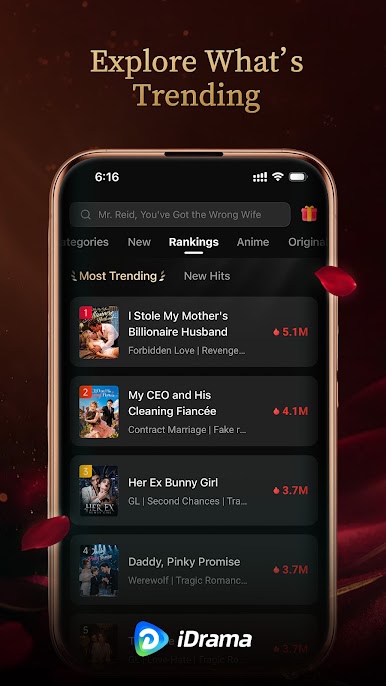
There are so many quick-watch drama apps out there, but this one keeps things focused on fast episodes and easy browsing. iDrama lines up lots of bite-sized series with a mix of original shorts and shows that have local subtitles, so someone who likes romance, messy breakups, fate-twist stories, or classic period pieces will always find another episode waiting. The player feels clean and quick, HD looks sharp, and it jumps to the next part without fuss, so it is very easy to burn through a mini season before noticing the time. Recommendations get better after a few picks, and the app keeps a neat continue-watching lane, which matters when each episode is only a few minutes.
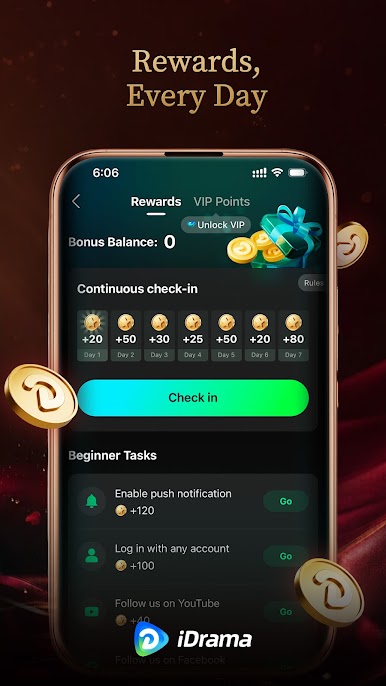
What stands out is the steady flow of new drops and the way episodes can be unlocked with bonuses from daily tasks. So a person can chip away for free, or grab a sub if they want everything open during the plan period. The subscription is on auto renewal by default, but it can be managed in account settings if that is not the goal long term. Running it on PC with BlueStacks actually makes sense for this type of app. Bigger screen for subtitles, quick mouse clicks to skip intros, and it feels like a lightweight TV box on a desk, without the usual smart TV hassle. The storytelling is dramatic in that soapish way, plenty of cliffhangers, simple to snack on when there are only a few minutes to spare.
Big screen. Bigger performance. Use BlueStacks on your PC or Mac to run your favorite apps.




Play iDrama – Short Dramas & Reels on PC. It’s easy to get started.
-
Download and install BlueStacks on your PC
-
Complete Google sign-in to access the Play Store, or do it later
-
Look for iDrama – Short Dramas & Reels in the search bar at the top right corner
-
Click to install iDrama – Short Dramas & Reels from the search results
-
Complete Google sign-in (if you skipped step 2) to install iDrama – Short Dramas & Reels
-
Click the iDrama – Short Dramas & Reels icon on the home screen to start playing

