


YouTube
Play on PC with BlueStacks – the Android Gaming Platform, trusted by 500M+ gamers.

Page Modified on: Oct 26, 2026
Main YouTube on PC
Watch and subscribe
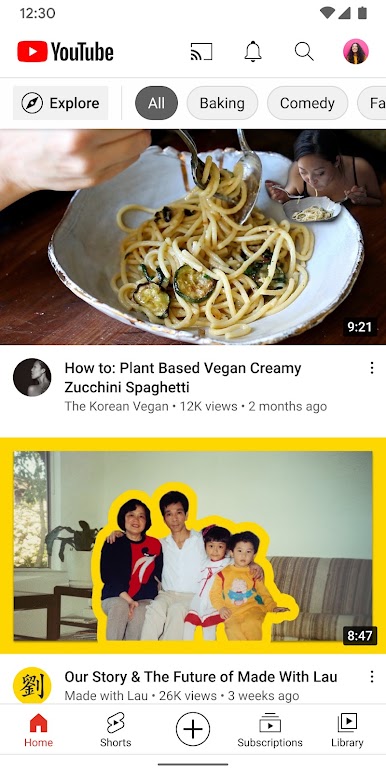
● Browse personal recommendations on Home
● See the latest from your favorite channels in Subscriptions
● Look up videos you’ve watched, liked, and saved for later in Library
Explore different topics, what’s popular, and on the rise (available in select countries)
● Stay up to date on what’s popular in music, gaming, beauty, news, learning and more
● See what’s trending on YouTube and around the world on Explore
● Learn about the coolest Creators, Gamers, and Artists on the Rise (available in select countries)
Connect with the YouTube community
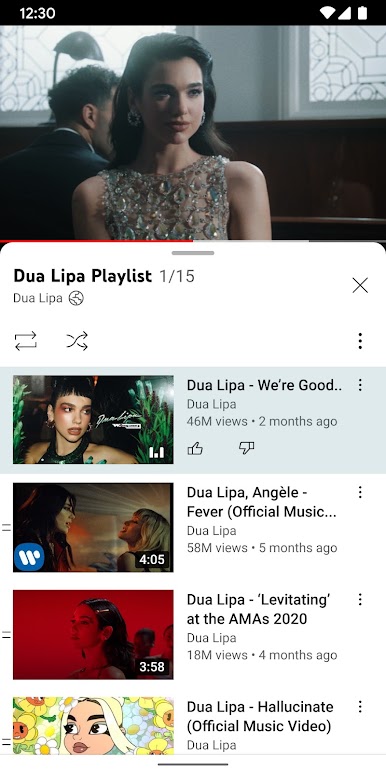
● Keep up with your favorites creators with Posts, Stories, Premieres, and Live streams
● Join the conversation with comments and interact with creators and other community members
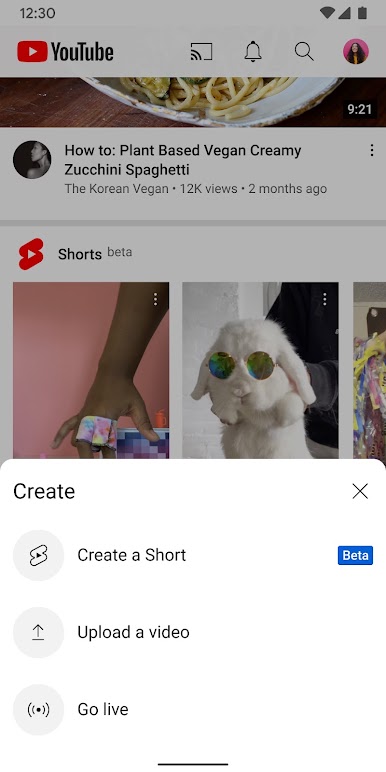
Create content from your mobile device
● Create or upload your own videos directly in the app
● Engage with your audience in real time with live streaming right from the app
Find the experience that fits you and your family (available in select countries)
● Every family has their own approach to online video. Learn about your options: the YouTube Kids app or a new parent supervised experience on YouTube at youtube.com/myfamily
Support creators you love with channel memberships (available in select countries)
● Join channels that offer paid monthly memberships and support their work
● Get access to exclusive perks from the channel & become part of their members community
● Stand out in comments and live chats with a loyalty badge next to your username
Upgrade to YouTube Premium (available in select countries)
● Watch videos uninterrupted by ads, while using other apps, or when the screen is locked
● Save videos for when you really need them – like when you’re on a plane or commuting
● Get access to YouTube Music Premium as part of your benefits



Play YouTube on PC. It’s easy to get started.
-
Download and install BlueStacks on your PC
-
Complete Google sign-in to access the Play Store, or do it later
-
Look for YouTube in the search bar at the top right corner
-
Click to install YouTube from the search results
-
Complete Google sign-in (if you skipped step 2) to install YouTube
-
Click the YouTube icon on the home screen to start playing

