


Poker Desire
Play on PC with BlueStacks – the Android Gaming Platform, trusted by 500M+ gamers.

Page Modified on: Feb 28, 2026
Play Poker Desire on PC
Card-Themed Stack & Match Adventure
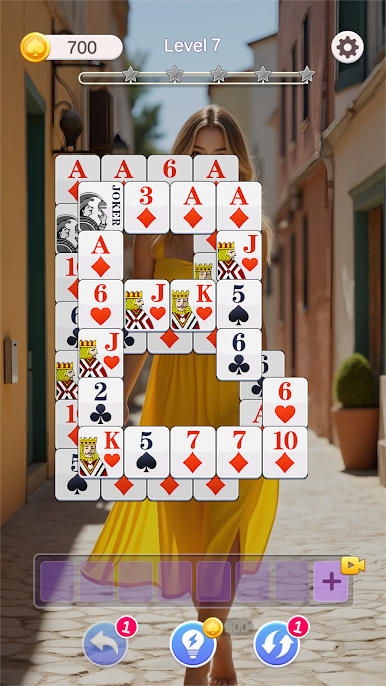
Welcome to Poker Desire, a poker-themed stack and match puzzle game that perfectly combines strategic elimination gameplay with a rewarding character collection system.
Clear card-themed items across relaxing yet challenging levels, unlock more content as you progress, and enjoy a unique collection and growth experience.
♠ Classic Stack & Match Gameplay
Enter beautifully designed poker-themed stages.
Tap and match identical items to eliminate them strategically, planning each move carefully — clear all objects to complete the level.
Easy to learn, highly rewarding once mastered
Increasing difficulty across levels
Strategic stack and match mechanics
Smooth and intuitive controls
Each level brings fresh challenges and a satisfying sense of accomplishment.
♥ Character Selection Before Each Level
Before starting a level, choose 1 of 3 featured characters to accompany your challenge.
Different character options appear each round
Unlock character-related content as you progress
Complete the level to finalize the unlock
Each stage presents a new goal and choice.
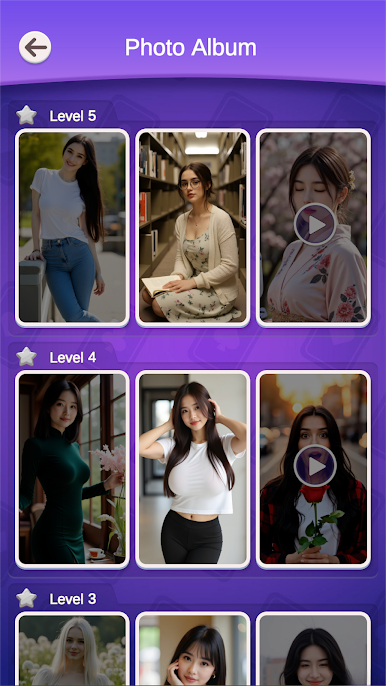
♣ Collection Album System
The in-game Album allows you to:
View unlocked and locked characters
Replay levels to unlock new characters
Access previously unlocked content
Save unlocked images (where applicable)
Gradually enrich your collection through gameplay challenges.
Download Poker Desire now and experience a poker-themed puzzle adventure that combines elimination, progression, and character collection in one!



Play Poker Desire on PC. It’s easy to get started.
-
Download and install BlueStacks on your PC
-
Complete Google sign-in to access the Play Store, or do it later
-
Look for Poker Desire in the search bar at the top right corner
-
Click to install Poker Desire from the search results
-
Complete Google sign-in (if you skipped step 2) to install Poker Desire
-
Click the Poker Desire icon on the home screen to start playing

