


Grand Mobile: RP Open World
Play on PC with BlueStacks – the Android Gaming Platform, trusted by 500M+ gamers.

Page Modified on: Nov 23, 2026
Overview
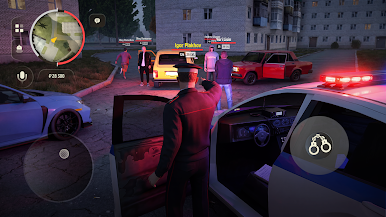
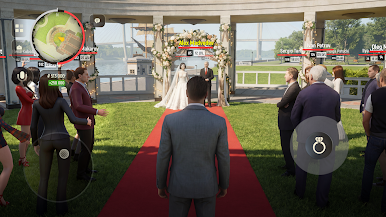
Grand Mobile is a true life simulator where players interact with each other in multiplayer mode. Communicate, roleplay, and immerse yourself in the RP experience! Take part in city life and create your own story in a living online world.
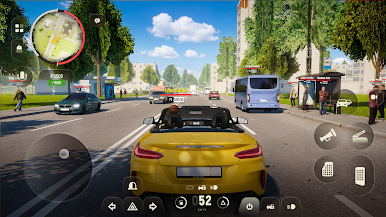
The game features dozens of different cars for every taste — from budget vehicles to elite supercars. A realistic driving simulator lets you feel what it’s like to sit behind the wheel of your dream car. Street races await you, where skill, tuning, and reputation matter most.
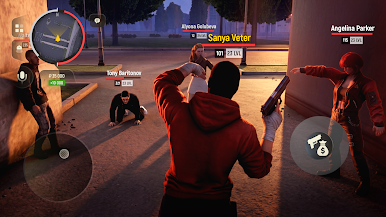
The criminal side of the city never sleeps. Gangsters, factions, and the mafia fight for influence. Complete dangerous missions, participate in gang wars, and rise through the ranks of the criminal underworld. Every choice affects your destiny and how other players see you.
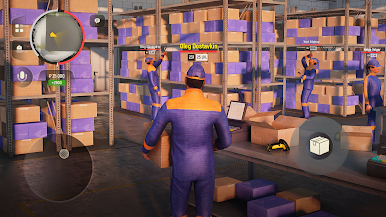
For players who prefer the legal path, dozens of jobs and career opportunities are available. Work, earn money, open businesses, and help develop the city infrastructure. This is a full-fledged online simulator where the economy and society are shaped by the players themselves.
Grand Mobile combines freedom of action, deep rp mechanics, live communication, and a dynamic open world. It’s more than just a game — it’s a virtual life where you can become anyone: a racer, businessman, criminal, or an ordinary citizen of a huge metropolis.
Join Grand Mobile right now and dive into the atmosphere of gta city in a Russian setting, where online gameplay, cars, people, and stories come together in one huge world.
Our Facebook page
https://www.facebook.com/profile.php?id=61564606185542
If you have any questions or issues — we are always ready to help
https://support.grnd.gg/ru/
Privacy Policy
https://grnd.gg/cis-privacy-policy.pdf
User Agreement
https://grnd.gg/cis-user-agreement.pdf
Play Grand Mobile: RP Open World on PC. It’s easy to get started.
-
Download and install BlueStacks on your PC
-
Complete Google sign-in to access the Play Store, or do it later
-
Look for Grand Mobile: RP Open World in the search bar at the top right corner
-
Click to install Grand Mobile: RP Open World from the search results
-
Complete Google sign-in (if you skipped step 2) to install Grand Mobile: RP Open World
-
Click the Grand Mobile: RP Open World icon on the home screen to start playing

