


Soccer World Cup Manager 2026
Play on PC with BlueStacks – the Android Gaming Platform, trusted by 500M+ gamers.

Page Modified on: Jan 27, 2026
Play Soccer World Cup Manager 2026 on PC
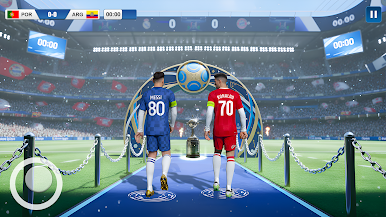
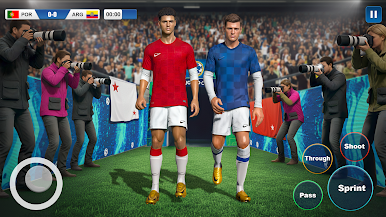
Step into the world’s biggest football stage and lead your national team to glory in Soccer World Cup Manager 2026! This is the ultimate football manager game experience where your strategic genius, squad building skills, and tactical decisions decide the fate of your nation’s campaign in the thrilling road to the World Cup championship.
⚽ Build & Manage Your Dream National Team
Take control of your favorite country’s football squad and assemble the strongest lineup. Recruit top players, nurture rising stars, and craft winning tactics. Every match, every substitution, and every formation choice matters as you guide your team through tough qualifiers and World Cup finals.
📊 Smart Tactics & Strategic Gameplay
As a World Cup manager, your tactical skills are your biggest weapon. Adjust formations, set player roles, and adapt your strategy to outsmart rival managers. Whether you love defensive organization, attacking flair, or balanced play, this football strategy game lets you apply your vision and lead your team to victory.
🌍 Compete on the Global Stage
Compete with managers from all over the world in highly competitive international matches. Experience the excitement of the World Cup format as you battle through group stages, knockout rounds, and the final showdown for the ultimate football title.
🏆 Tournament Mode & Team Progression
Unlock powerful abilities and team upgrades as you progress from local qualifiers to the most prestigious tournament in global football. Gain experience, develop player skills, and keep your squad performing at peak form throughout the season.
🎯 Real Football Atmosphere
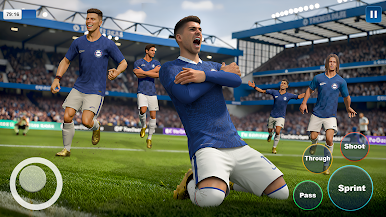
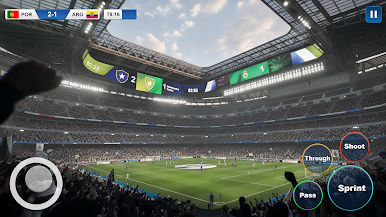
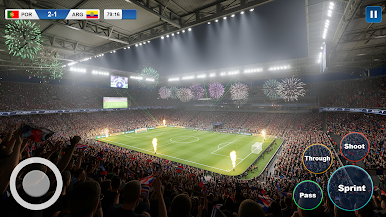
Feel the thrill of real-life football competition with authentic match environments, crowd reactions, and dynamic tactical battles. Every decision you make adds to the excitement and challenge of leading your team on the world stage.
💡 Easy to Learn, Deep to Master
Whether you’re a casual manager or a hardcore strategist, Soccer World Cup Manager 2026 offers intuitive controls that make gameplay fun and engaging. Dive deep into player statistics, team chemistry, and tactical planning to outthink your opponents and win big.
⭐ Key Features:
✔ Lead your national team in the quest for the World Cup trophy
✔ Build and manage your perfect football squad
✔ Create winning tactics and effective formations
✔ Compete globally against other world cup managers
✔ Deep team progression and strategy gameplay
✔ Authentic football atmosphere and match action
✔ Fun and challenging management experience for all football fans
🌟 Ready for the World Stage?
Prove that you have the managerial brilliance to compete with the best. Use your tactical skills, sharpen your squad, and show the world what true leadership in football management looks like!
⬇️ Download now and take your team to World Cup glory! 🏆
Play Soccer World Cup Manager 2026 on PC. It’s easy to get started.
-
Download and install BlueStacks on your PC
-
Complete Google sign-in to access the Play Store, or do it later
-
Look for Soccer World Cup Manager 2026 in the search bar at the top right corner
-
Click to install Soccer World Cup Manager 2026 from the search results
-
Complete Google sign-in (if you skipped step 2) to install Soccer World Cup Manager 2026
-
Click the Soccer World Cup Manager 2026 icon on the home screen to start playing

