


Moto Bike Stunt Wheelie Game
Play on PC with BlueStacks – the Android Gaming Platform, trusted by 500M+ gamers.

Page Modified on: Aug 11, 2026
Play Moto Bike Stunt Wheelie Game on PC
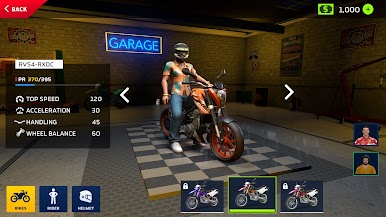
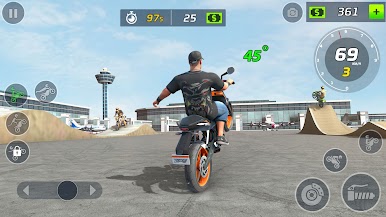
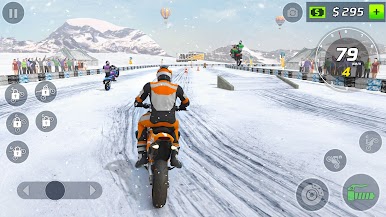
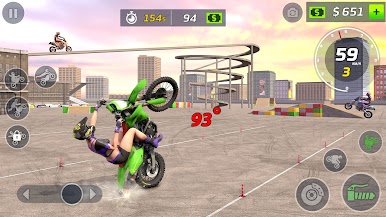
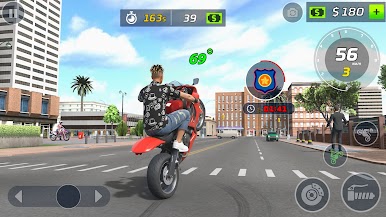
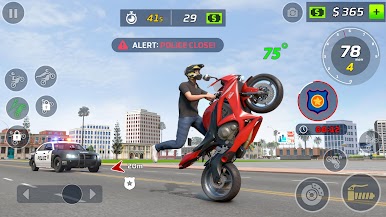
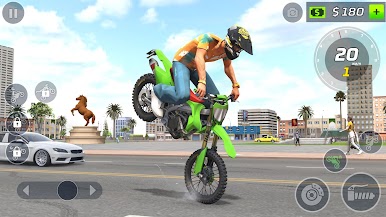
In the Moto Bike Stunt Wheelie Game, you’ll explore extreme moto racing modes. Hold your balance in Wheelie Mode, perform flips and spins in Stunt Mode, and speed through dunes in Desert Racing Mode. Take a break in Open World Riding Mode to explore and master your moves, then brace for icy tracks in Snow Race Mode where grip and timing are everything.
Experience the thrill of crazy bike stunts, realistic moto stunts, and immersive physics by bike wheelie motocross games. Whether it’s performing a spin bike trick or racing through dirt bike wheelie games 3D challenges 🚧, every mode brings something new to master.
✨Features of Moto Bike Wheelie Stunt Race:
🏍️Realistic bike control and smooth wheelie physics.
🎯Multiple stunt and racing modes with unique challenges.
🌆Open world map with stunt racing ramps & tracks.
🏜️❄️Diverse environments: city, desert, and snow terrains.
🧠Skill-based gameplay for all motorcycle stunt fans.
🎥Dynamic camera angles and immersive sounds.
Ride, balance, and perform like a pro bike rider, every stunt counts in the moto bike stunt wheelie game!
Play Moto Bike Stunt Wheelie Game on PC. It’s easy to get started.
-
Download and install BlueStacks on your PC
-
Complete Google sign-in to access the Play Store, or do it later
-
Look for Moto Bike Stunt Wheelie Game in the search bar at the top right corner
-
Click to install Moto Bike Stunt Wheelie Game from the search results
-
Complete Google sign-in (if you skipped step 2) to install Moto Bike Stunt Wheelie Game
-
Click the Moto Bike Stunt Wheelie Game icon on the home screen to start playing

