


Car Driving & Drift Games 3D
Play on PC with BlueStacks – the Android Gaming Platform, trusted by 500M+ gamers.

Page Modified on: Apr 21, 2026
Main Car Driving & Drift Games 3D on PC
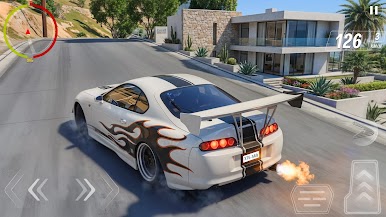
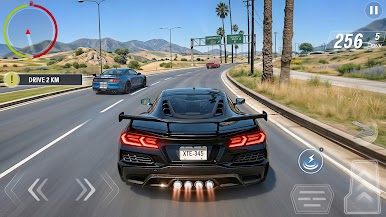
In this immersive car driving simulator, you can drive through busy streets, highways, and open environments while performing smooth car drift moves around sharp corners. Whether you enjoy relaxed city driving or intense drifting challenges, this driving game offers a realistic and fun experience for every car enthusiast.
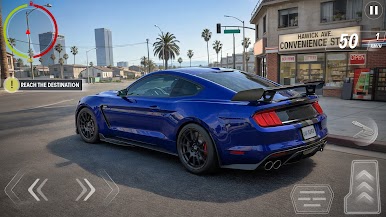
Choose from a variety of modern vehicles and experience realistic physics, responsive controls, and smooth handling. Practice your skills, improve your drifting techniques, and become a true drift master in this exciting car game. Each mission tests your ability to control speed, balance, and precision while navigating challenging roads.
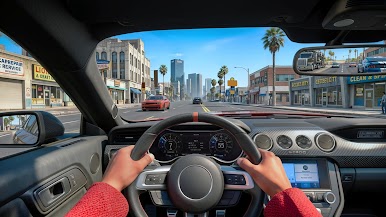
Explore stunning 3D environments, from city streets to wide highways, designed to give you the feeling of real car driving. With detailed graphics, dynamic gameplay, and exciting challenges, Car Driving & Drift Games 3D delivers a complete driving simulator experience.
🚗 Game Features:
- Realistic car driving simulator gameplay
- Smooth and exciting car drifting mechanics
- Multiple cars to drive and customize
- Large open city and highway environments
- Challenging missions and driving tasks
- Easy controls with realistic vehicle physics
- Stunning 3D graphics and immersive sound effects
Start your engine, hit the road, and enjoy the thrill of drifting in "Car Driving & Drift Games 3D". Download now and become the ultimate car driving and drifting master!
Play Car Driving & Drift Games 3D on PC. It’s easy to get started.
-
Download and install BlueStacks on your PC
-
Complete Google sign-in to access the Play Store, or do it later
-
Look for Car Driving & Drift Games 3D in the search bar at the top right corner
-
Click to install Car Driving & Drift Games 3D from the search results
-
Complete Google sign-in (if you skipped step 2) to install Car Driving & Drift Games 3D
-
Click the Car Driving & Drift Games 3D icon on the home screen to start playing

