


Play Together: Friends & Party
Play on PC with BlueStacks – the Android Gaming Platform, trusted by 500M+ gamers.

Page Modified on: Aug 27, 2026
Play Play Together on PC or Mac
Step into the World of Play Together:Cozy Social Life, a thrilling Casual game from the house of HAEGIN Co., Ltd.. Play this Android game on BlueStacks App Player and experience immersive gaming on PC or Mac.
About the Game
Play Together:Cozy Social Life is a laid-back, people-first playground from HAEGIN Co., Ltd. where hanging out is the whole point. Create a look that feels like you, meet new friends from all over, and bounce between chill activities and quick, competitive mini-games. It’s a Casual sandbox that’s as social as you make it—perfect for short sessions or all-evening house parties. Prefer a bigger screen? It also runs smoothly on BlueStacks.
Game Features
-
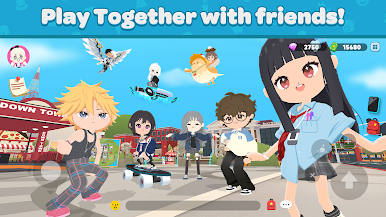
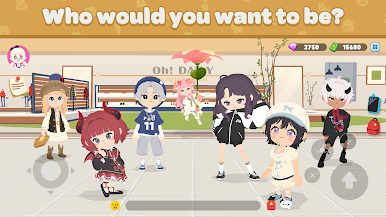
Your Look, Your Rules: Build an avatar from the ground up with a wide range of skin tones, body shapes, hairstyles, and outfits. Mix and match until your style clicks, then hit the plaza and start meeting people.
-
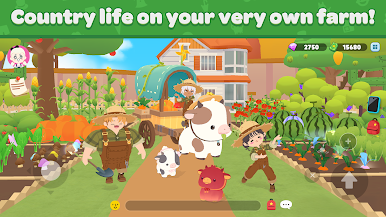
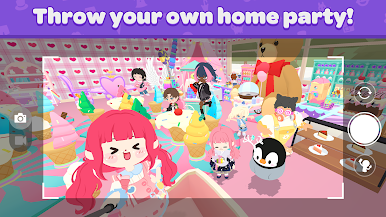
Home Sweet Hangout: Pick a home style, decorate every corner, and turn it into the go-to spot for friends. Host cozy get-togethers, role-play, chat on the couch, or simply show off that perfectly arranged living room.
-
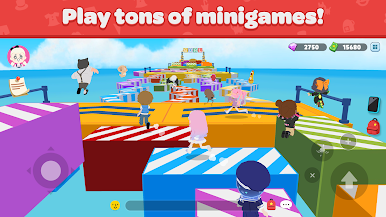
Party-Ready Minigames: Jump into fast, funny modes like a 30-player last-one-standing showdown, zombie-style tag, wild obstacle runs, an endless tower climb, snowball brawls, stylish runway contests, and extra games tucked away at school.
-
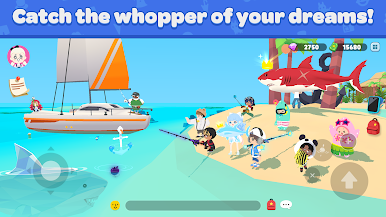
Big Fishing Journey: Cast a line at ponds, beaches—even unusual spots—and reel in a massive collection of species. Each location has its own catches, so fill out your logbook and brag a little when you land something rare.
-
Critters, Fossils, and Finds: Hunt for insects and lizards across different areas, then switch gears and dig for ancient fossils or shiny gems. Display your discoveries to flex your collection or trade them for some in-game cash.
-
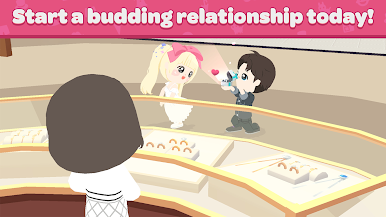
Social First, Always: Chat, make friends, and hop between neighborhoods together. Whether you’re snapping pics, exploring hidden corners, or just people-watching, the vibe is friendly and easygoing.
Get ready for a buttery smooth, high-performance gaming action only on BlueStacks.

Play Play Together: Friends & Party on PC. It’s easy to get started.
-
Download and install BlueStacks on your PC
-
Complete Google sign-in to access the Play Store, or do it later
-
Look for Play Together: Friends & Party in the search bar at the top right corner
-
Click to install Play Together: Friends & Party from the search results
-
Complete Google sign-in (if you skipped step 2) to install Play Together: Friends & Party
-
Click the Play Together: Friends & Party icon on the home screen to start playing

