


Pigeon Pop: Bird Life Pet Shop
Play on PC with BlueStacks – the Android Gaming Platform, trusted by 500M+ gamers.

Page Modified on: Jan 25, 2025
Play Pigeon Pop: Bird Life Pet Shop on PC or Mac
Bring your A-game to Pigeon Pop: Bird Life Pet Shop, the Arcade game sensation from FunQuest Studios. Give your gameplay the much-needed boost with precise game controls, high FPS graphics, and top-tier features on your PC or Mac with BlueStacks.
About the Game
Ever wondered what a pigeon’s day might look like? Pigeon Pop: Bird Life Pet Shop lets you experience life in a lively bird paradise, where caring for quirky feathered friends is all part of the adventure. Whether you’re rescuing a lost owl or hanging out with a daring jay, every moment’s a surprise. The Arcade vibe keeps things moving—one minute, you’re feeding a baby chick, and the next, you’re taking on fun challenges. It’s relaxed, a little silly, and never quite what you’d expect.
Game Features
-
Wide Variety of Birds
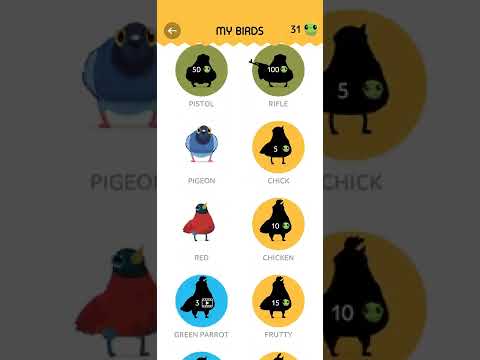
Adopt and care for all kinds of birds—eagles, parrots, owls, chickens, and even rare ones like the francolin or puffin. There’s always a fresh set of wings to meet. -
Rescue Missions
Jump in as the hero when birds get into trouble. Each rescue adds something new and brings more characters to your growing flock. -
Arcade-Style Challenges
Compete with players and test your caretaker skills across 200+ fast-paced levels. Every round is a mix of fun and quirky bird antics. -
Interactive Caretaking
Feed, play with, and nurture your birds. You might find yourself soothing a baby owl or entertaining a restless falcon—it’s hands-on and oddly rewarding. -
Cozy Simulation Vibe
Immerse yourself in vibrant 2D graphics that make every bird and background pop. The look is bright and welcoming, perfect for unwinding. -
Accessible on BlueStacks
Enjoy everything Pigeon Pop: Bird Life Pet Shop offers with smooth Arcade gameplay on mobile or enhance it on PC using BlueStacks for a bigger, more comfortable view.
Get ready for a buttery smooth, high-performance gaming action only on BlueStacks.
















Play Pigeon Pop: Bird Life Pet Shop on PC. It’s easy to get started.
-
Download and install BlueStacks on your PC
-
Complete Google sign-in to access the Play Store, or do it later
-
Look for Pigeon Pop: Bird Life Pet Shop in the search bar at the top right corner
-
Click to install Pigeon Pop: Bird Life Pet Shop from the search results
-
Complete Google sign-in (if you skipped step 2) to install Pigeon Pop: Bird Life Pet Shop
-
Click the Pigeon Pop: Bird Life Pet Shop icon on the home screen to start playing

