


ASMR Keyboard: Speed Escape
Play on PC with BlueStacks – the Android Gaming Platform, trusted by 500M+ gamers.

Page Modified on: Jul 2, 2026
Play ASMR Keyboard: Speed Escape on PC or Mac
ASMR Keyboard: Speed Escape brings the Action genre to life, and throws up exciting challenges for gamers. Developed by Hutan, this Android game is best experienced on BlueStacks, the World’s #1 app player for PC and Mac users.
About the Game
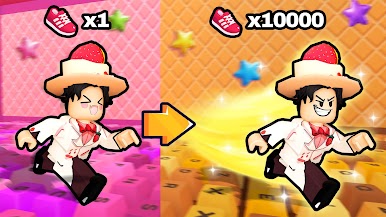
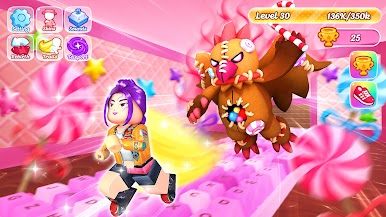
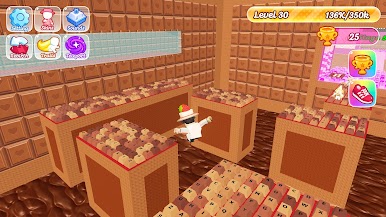
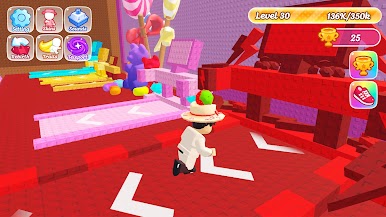
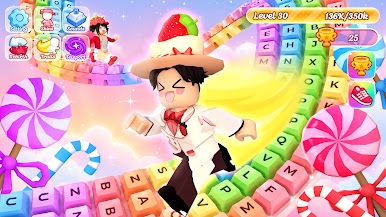
ASMR Keyboard: Speed Escape is an Action runner that mixes fast parkour with the oddly satisfying click of mechanical keyboards. You’re sprinting across candy-coated courses, timing jumps and slides while every move pops with clean, tactile sound. It’s quick, colorful, and surprisingly calming—like speedrunning with a built-in sound bath.
Game Features
- Clicky Rhythm: Every hop, dash, and turn fires off crisp mechanical key sounds that scratch that ASMR itch.
- Parkour Momentum: Thread through obstacles, wall-jump, and nail tight landings across sugar-slick tracks that reward precision and flow.
- Custom Keyboards: Unlock different keyboards and characters, each with distinct switch sounds and speed profiles that actually change how the run feels.
- Power-Ups & Progress: Snag boosts, stack upgrades, and rack up rewards to chase faster times and unlock rare skins and flashy effects.
- Sweet 3D Worlds: Bright, candy-themed stages with clean visuals that make each run feel playful, not stressful.
- Play Your Way: Go zen and enjoy the sounds, or push for perfect routes and leaderboard-worthy speed.
- Smooth on PC with BlueStacks: Prefer a desk setup? It plays great on BlueStacks with a larger view and comfy controls, without changing the feel of the run.
Start playing ASMR Keyboard: Speed Escape on BlueStacks and get a smoother, more comfortable PC or Mac setup.

Play ASMR Keyboard: Speed Escape on PC. It’s easy to get started.
-
Download and install BlueStacks on your PC
-
Complete Google sign-in to access the Play Store, or do it later
-
Look for ASMR Keyboard: Speed Escape in the search bar at the top right corner
-
Click to install ASMR Keyboard: Speed Escape from the search results
-
Complete Google sign-in (if you skipped step 2) to install ASMR Keyboard: Speed Escape
-
Click the ASMR Keyboard: Speed Escape icon on the home screen to start playing

