


Sandy Jam: Sand Puzzle
Play on PC with BlueStacks – the Android Gaming Platform, trusted by 500M+ gamers.

Page Modified on: Sep 21, 2026
Play Sandy Jam on PC or Mac
Bring your A-game to Sandy Jam, the Puzzle game sensation from Horus Ent HK. Give your gameplay the much-needed boost with precise game controls, high FPS graphics, and top-tier features on your PC or Mac with BlueStacks.
About the Game
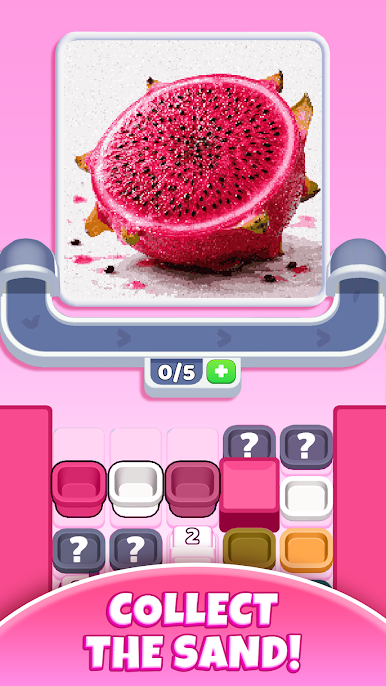
Sandy Jam is a Puzzle game from Horus Ent HK that turns falling sand into a strangely satisfying challenge. You’ll tap to guide colorful grains into the right containers, time your moves with a moving belt, and slowly reveal hidden images as the sand settles. It’s chill when you want it to be, but there’s just enough strategy to keep your brain pleasantly busy.
Game Features
- Tap-to-Guide Controls: Tap where you want the sand to go and watch it respond instantly. It’s simple to pick up and feels great from the first level.
- Conveyor Timing: Containers roll by on a belt, so you’ll plan your taps and angles to catch the right colors at the right moment.
- Color-Match Art Reveal: Sort each hue into its place and see vibrant pictures form grain by grain. It’s like completing a painting, one soft cascade at a time.
- Lifelike Sand Physics: The grains pour, pile, and slide with smooth, convincing motion that’s endlessly watchable.
- Evolving Challenges: New twists and obstacles show up as you go, nudging you to refine your timing and route choices without ever feeling overwhelming.
- Polished Visuals: Clean animations and a calm look make it easy to settle in and focus on the flow.
- Lots to Uncover: Dozens of unique artworks wait beneath the sand, giving every stage a fresh reveal.
- Play Your Way: Great for quick breaks or longer sessions when you want to chase a perfect pour.
- Easy on PC: Prefer a bigger screen and mouse control? Sandy Jam plays nicely on BlueStacks, too.
Get ready for a buttery smooth, high-performance gaming action only on BlueStacks.






Play Sandy Jam: Sand Puzzle on PC. It’s easy to get started.
-
Download and install BlueStacks on your PC
-
Complete Google sign-in to access the Play Store, or do it later
-
Look for Sandy Jam: Sand Puzzle in the search bar at the top right corner
-
Click to install Sandy Jam: Sand Puzzle from the search results
-
Complete Google sign-in (if you skipped step 2) to install Sandy Jam: Sand Puzzle
-
Click the Sandy Jam: Sand Puzzle icon on the home screen to start playing

