


Survival Nights Sandbox
Play on PC with BlueStacks – the Android Gaming Platform, trusted by 500M+ gamers.

Page Modified on: Jun 29, 2026
Play Survival Nights Sandbox on PC
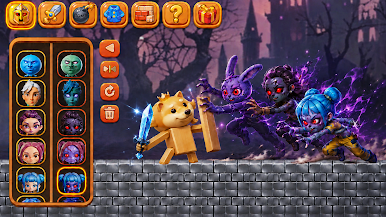
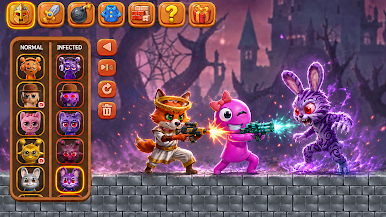
Choose from dozens of characters, from heroic animals and colorful fighters to terrifying infected monsters.
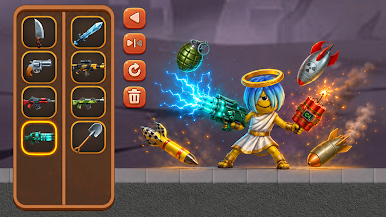
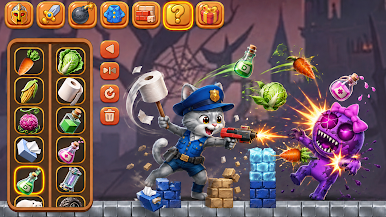
Arm them with everything from guns, swords, and grenades to silly items like carrots, toilet paper, and potions.
Set up blocks, barriers, and traps to create the perfect battlefield.
Watch your creations come alive as characters clash in epic, over-the-top fights.
Mix and match allies and enemies to test out crazy matchups, from police cats with toilet paper bats to angelic heroes wielding laser guns.
Every battle is unpredictable, with explosions, magic, and mayhem filling the screen.
Unleash your creativity with endless combinations of weapons, costumes, and arenas.
Whether you want to create a zombie apocalypse, a fantasy battle, or just see what happens when you pit a dog with a sword against a horde of monsters, this sandbox lets you bring any wild idea to life.
The only limit is your imagination.
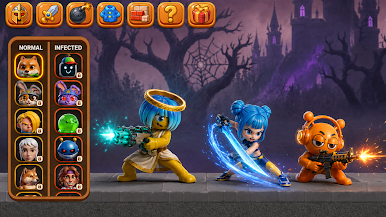
Play Survival Nights Sandbox on PC. It’s easy to get started.
-
Download and install BlueStacks on your PC
-
Complete Google sign-in to access the Play Store, or do it later
-
Look for Survival Nights Sandbox in the search bar at the top right corner
-
Click to install Survival Nights Sandbox from the search results
-
Complete Google sign-in (if you skipped step 2) to install Survival Nights Sandbox
-
Click the Survival Nights Sandbox icon on the home screen to start playing

