

People Jam: Seat Puzzle
Play on PC with BlueStacks – the Android Gaming Platform, trusted by 500M+ gamers.

Page Modified on: Oct 30, 2026
Play People Jam: Seat Puzzle on PC or Mac
Explore a whole new adventure with People Jam: Seat Puzzle, a Puzzle game created by Solid Games. Experience great gameplay with BlueStacks, the most popular gaming platform to play Android games on your PC or Mac.
About the Game
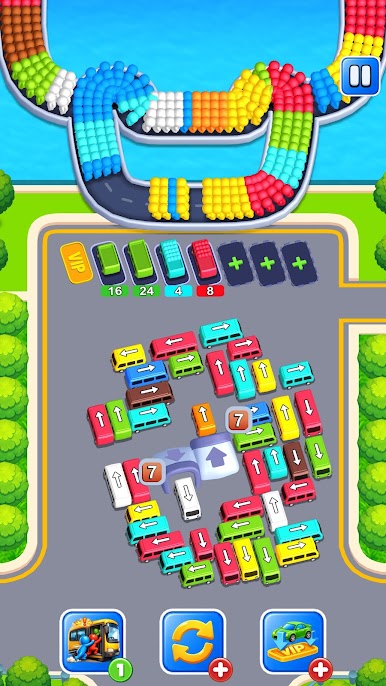
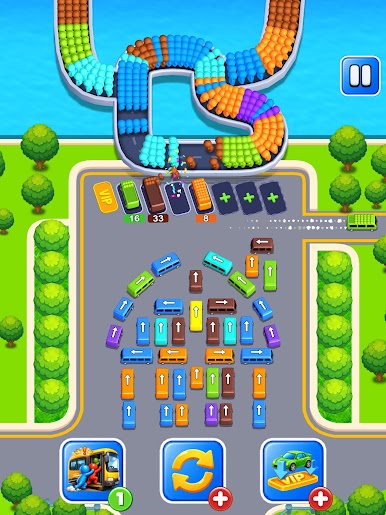
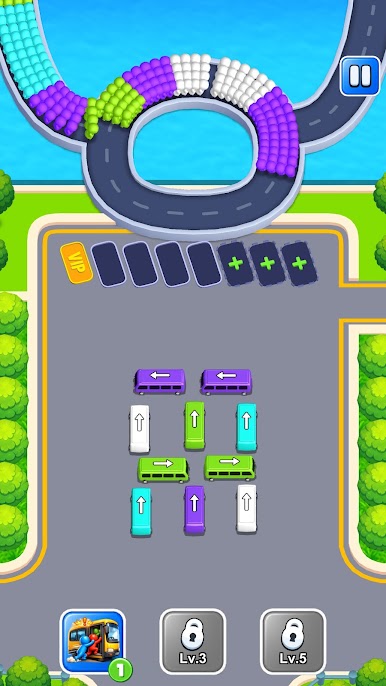
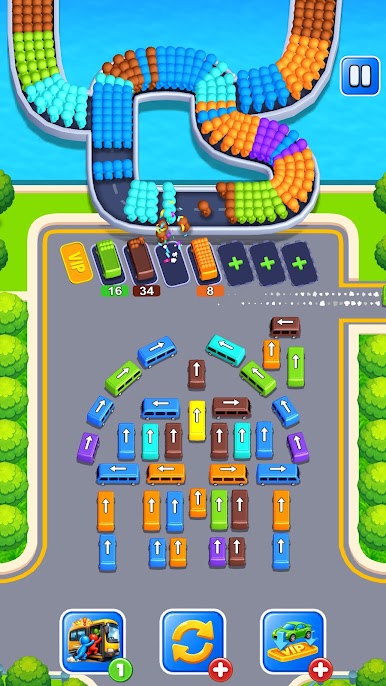
People Jam: Seat Puzzle is a fast-thinking Puzzle about sorting a bustling bus lot without a single scrape. Passengers roll in on a belt in bright colors, and you’ve got to send the matching bus at the perfect moment so paths don’t cross the wrong way. It’s snappy, a little chaotic, and surprisingly strategic—great for quick breaks or longer streaks, and it runs smoothly on BlueStacks.
Game Features
- Color-Match Pickups: Tap the bus that matches each passenger’s color and watch it zip out to collect them before exiting the lot.
- Arrow-Guided Routes: Every bus follows a fixed arrow path—learn the lanes, time your taps, and thread each ride through the traffic.
- Smart Timing, Not Speed: Decide which bus should go now and which should wait; order matters if you want zero fender benders.
- Continuous Flow: The belt keeps feeding new riders, sometimes in groups, so you’re juggling choices while the scene keeps moving.
- Clear the Yard: The goal’s simple—send every bus off the lot, each loaded with the right passengers, without a single crash.
- Build Satisfying Chains: Set up back-to-back moves that open safe lanes, then watch a clean sequence unfold like you planned it all along.
- Easy to Learn Controls: One-touch play and clear visuals make it approachable, while layouts grow trickier as you go.
- Plays Great on BlueStacks: Prefer a roomier view and steady performance? The game feels crisp and responsive on BlueStacks.
Start your journey now. Download the game on BlueStacks, invite your friends, and march on a new adventure.




Play People Jam: Seat Puzzle on PC. It’s easy to get started.
-
Download and install BlueStacks on your PC
-
Complete Google sign-in to access the Play Store, or do it later
-
Look for People Jam: Seat Puzzle in the search bar at the top right corner
-
Click to install People Jam: Seat Puzzle from the search results
-
Complete Google sign-in (if you skipped step 2) to install People Jam: Seat Puzzle
-
Click the People Jam: Seat Puzzle icon on the home screen to start playing

