


Star Warfare:Alien Invasion HD
Play on PC with BlueStacks – the Android Gaming Platform, trusted by 500M+ gamers.

Page Modified on: Oct 14, 2023
Play Star Warfare:Alien Invasion HD on PC
★★★★★
Top 10 games in 62 countries in AppStore
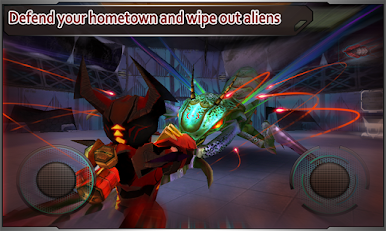
Console-quality boss battles, 36 single player levels, multiplayer supported, tons of gear and unique avatars to collect!!
★★★★★
Solid single player mode
✓ Various enemies with rich AI
✓ Console-like smooth control
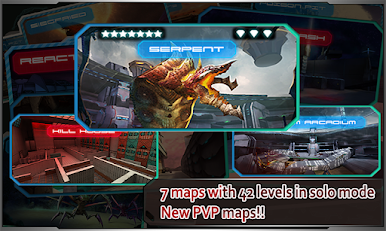
✓ 7 maps and 42 levels, loot can be used in solo and multiplayer modes
★★★★★
Simply the best co-op shooting game on smart phones
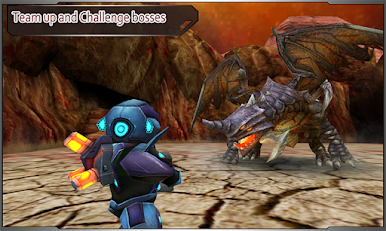
✓ Console-quality boss battles, team with up to 3 players(WIFI, 3G)
✓ Earn more gold in team survival mode.
✓ Armor and bags specially designed for team battle
★★★★★
Rich and flexible gear system
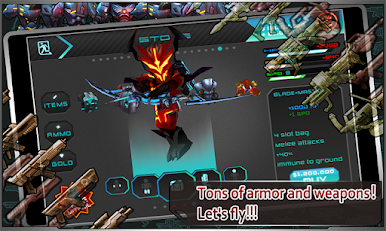
✓ 36 weapons, each upgradable 8 times, unlocked as you promote up the ranks.
✓ Nine Suits, each part with special attributes, a whole collection provides extra bonus. Elite suite entitles an extra special buff.
✓ Mix&match weapons with suits to earn additional damage
✓ 18 military bags with special functions
★★★★★
Follow us to know game updates and sale information
https://twitter.com/#!/FreyrGames
http://www.facebook.com/pages/Freyr-Games/159454344141173>
bug report: support@ifreyr.com


Play Star Warfare:Alien Invasion HD on PC. It’s easy to get started.
-
Download and install BlueStacks on your PC
-
Complete Google sign-in to access the Play Store, or do it later
-
Look for Star Warfare:Alien Invasion HD in the search bar at the top right corner
-
Click to install Star Warfare:Alien Invasion HD from the search results
-
Complete Google sign-in (if you skipped step 2) to install Star Warfare:Alien Invasion HD
-
Click the Star Warfare:Alien Invasion HD icon on the home screen to start playing

